







Point and figure charts automated trading system
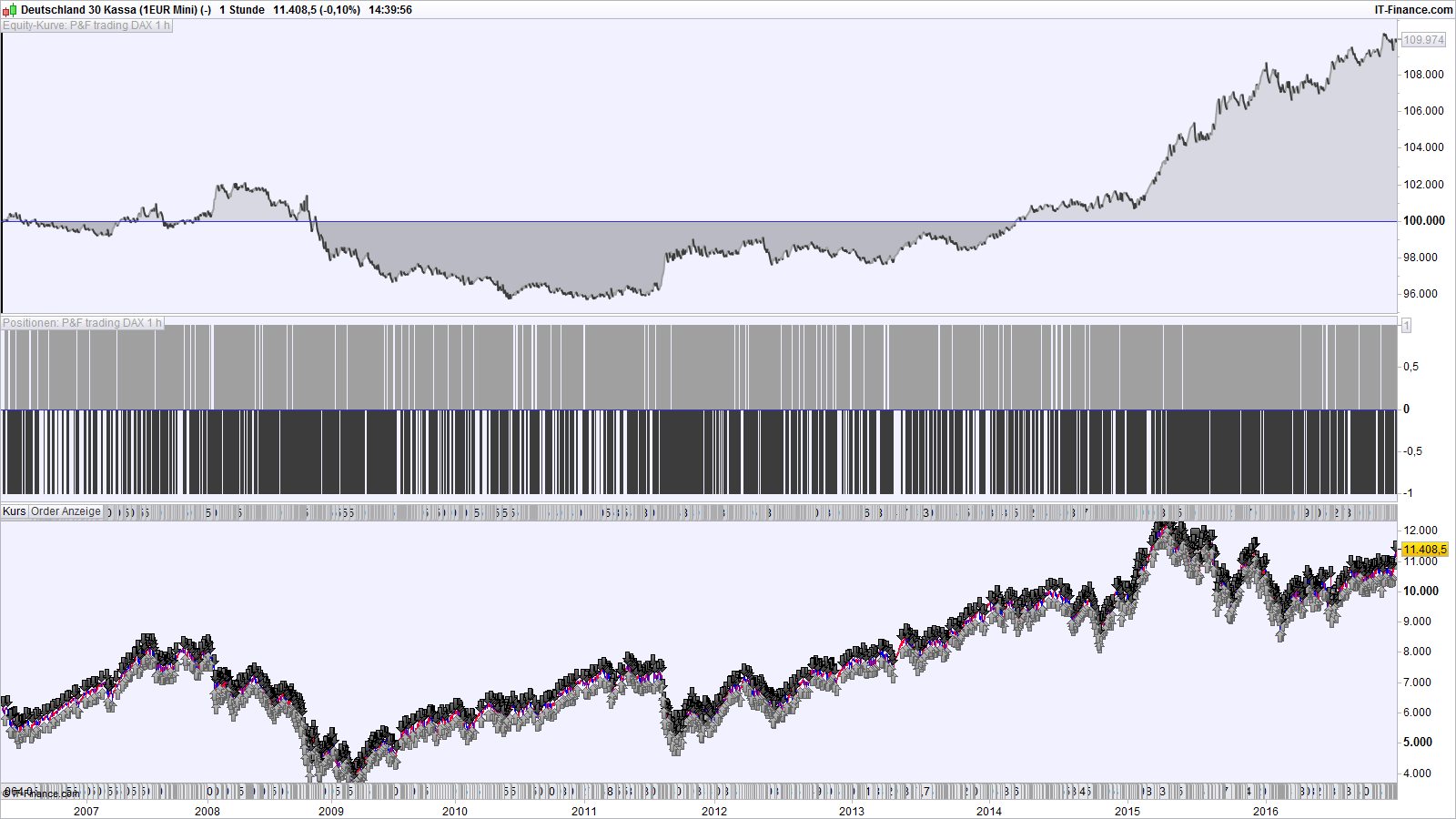
Here is a system that trades automatically point and figure charts.
The way it works :
All closing prices are sorted into boxes at the end of each bar – e.g. with a box size of 20 points, a close of 8247 will be in the box from 8240 to 8260.
The parameter “LowerBorderBox” is the lower end of this box. The upper end is LowerBorderBox + Boxsize.
When uptrend = 1 and downtrend = 0, there is an upward trend with long positions (XXXXX in P & F notation). When downtrend = 1, positions will be short (OOOOOO in P & F notation).
All boxes start at a value of 0 and their position is therefore fixed. For a box size of 20, we have boxes starting at a lower value of 0, 20, 40, 60, and so on. Or 8200, 8220, 8240, 8260…
The variable “UptrendHigh” defines the lower price of the highest box (X) of a current uptrend. The variable “DowntrenLow” defines the lower price of the lowest box (O) of a current downtrend.
The variable “turnafternn” sets after how many boxes in the opposite direction of the current trend, the trend direction is switched, e.g. from uptrend = 1 to downtrend = 1. Then, a buy or sellshort signal occurs.
For results identical to the point & figure charts built in ProRealTime, you have to set this threshold value to one unit higher than in the built-in charts. So, when we say that the P&F trend switches direction after 3 new boxes in the opposite direction in the built-in charts, we have to set turnafternn to a value of 4 in the automated trading system. I don’t know exactly why this is the case, but it appears that there is a difference in the definition of what a move of one box is. When we respect this difference, the point & figure charts are identical for the trading system and the built-in charts.
The results of point and figure trading are very much dependent on the box size. There is no single optimum value of the box size. As in Renko trading, results depend a lot on chance.
defparam cumulateorders = false

ONCE uptrend = 1
ONCE downtrend = 1

n = 1

Boxsize = 20

turnafternn = 4
LowerBorderBox = round((close / Boxsize) - 0.5) * Boxsize
ONCE DowntrendLow = LowerBorderBox
ONCE UptrendHigh = LowerBorderBox

If LowerBorderBox > LowerBorderBox[1] then

 If uptrend = 1 then
 downtrend = 0
 ONCE DowntrendLow = LowerBorderBox
  If LowerBorderBox > UptrendHigh then
   UptrendHigh = LowerBorderBox
  endif
 endif

 If downtrend = 1 and LowerBorderBox >= DowntrendLow + (turnafternn * Boxsize) then
  UptrendHigh = LowerBorderBox
  uptrend = 1
  downtrend = 0
 endif

elsif LowerBorderBox < LowerBorderBox[1] then

  If downtrend = 1 then
  uptrend = 0
  ONCE UptrendHigh = LowerBorderBox
   If LowerBorderBox < DowntrendLow then
    DowntrendLow = LowerBorderBox
   endif
  endif

  If uptrend = 1 and LowerBorderBox <= UptrendHigh - (turnafternn * Boxsize) then
   DowntrendLow = LowerBorderBox
   uptrend = 0
   downtrend = 1
  endif

endif

If uptrend = 1 and uptrend[1] = 0 then
 buy n contracts at market
endif

If downtrend = 1 and downtrend[1] = 0 then
 sellshort n contracts at market
endif

set stop ploss 350
Comments
You must be logged in to post a comment.
Thank you. This is mainly to show the concept, but I would not trade with this system as it is. Maybe someone can find additional criteria how to improve the performance, and, above all, the reliability and constancy of a point and figure trading system. The problem with such systems (point & figure, as well as Renko) is the fixed box size and box position over the whole chart. You can get good results with a box size of 35, for example, but losses for a box size of 36. Box size 37 may be good again. Let not fool yourselves by the optical appearance of point & figure charts (or Renko) !

Hi Verdi, I like very much the point and figure tool and would like to work with your trading system but I tried it on shares (L'Oreal - OR) but it did not take position; I changed of course the buy code lines; but nothing happened; Do you have any idea and would you truy yourself on L'OREAL? Best, Chris