ProRealCode - Trading & Coding with ProRealTime™
Yes, I was referring to Pauls results in your post: https://www.prorealcode.com/topic/machine-learning-in-proorder/page/4/#post-121408
and why the screenshot showed exactly the same result although one system has machine learning (ML)?
Be great if you could come up with a System where it clearly makes a big difference? A single variable System may be good?
My approach has always been to have as few variables as possible, too much chance of curve fitting otherwise. That’s why I like things like the Pivot Support / Resistance Zone indicator that Robertogozzo has coded: https://www.prorealcode.com/prorealtime-indicators/pivot-support-resistance-zones/
Through much back testing on the Dow I can see that funnily enough low values for the setting “Lookback” (eg, one to four) worked well, so it’s really the PivotBar variable that needs some ML applied to it!
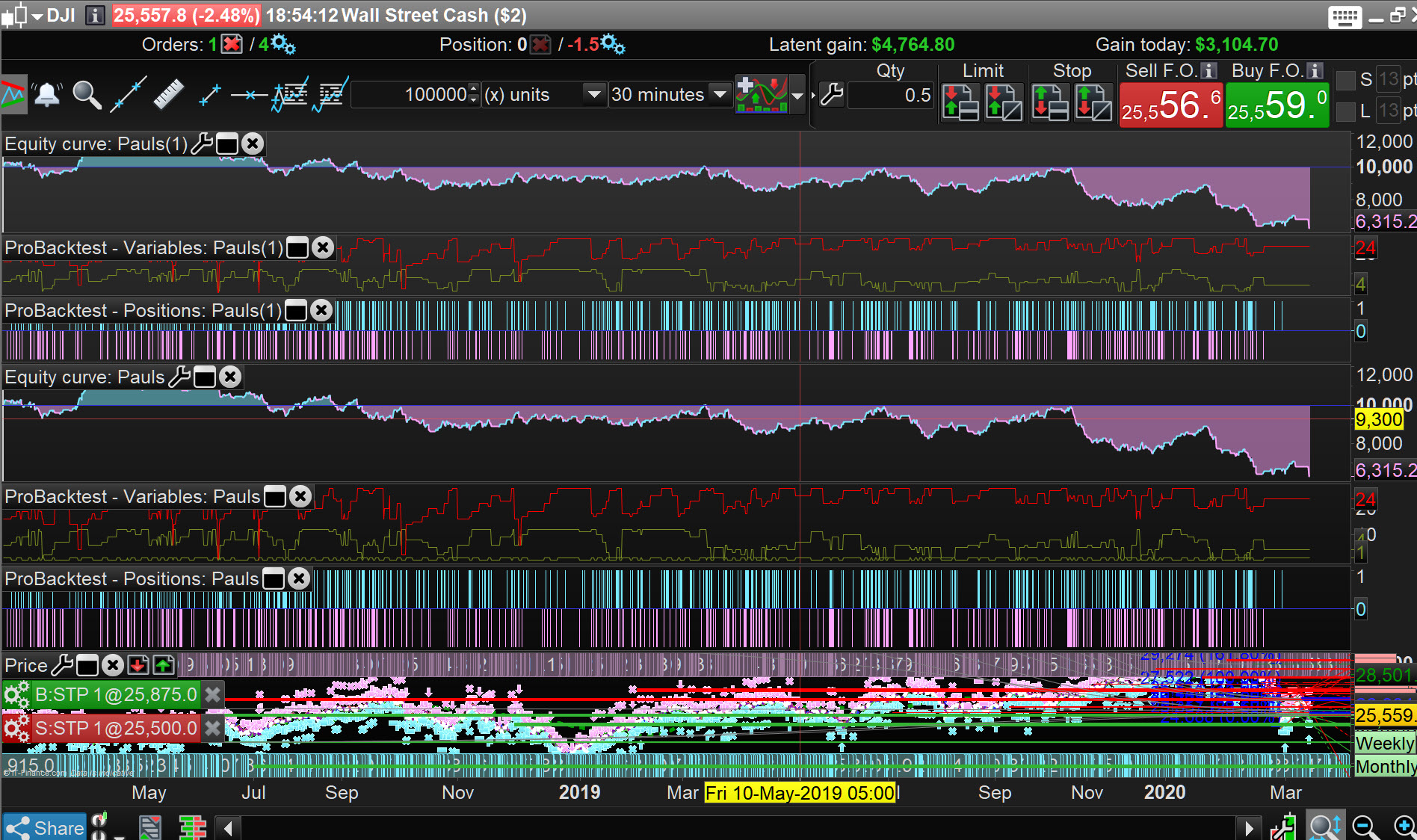
(I also noticed that values for the PivotBar of around 30 to 40 worked well). Once I got an intuition about the settings you can get some interesting results (slightly biased / curve fitted because I used the same date ranges). Eg:
Dow Jones | 10 Mins | £133.6k | GainLoss 8.7 | WinLoss 68% | DDown 20.5% | 13/06/2019–08/04/2020
Settings:
3.8 spread
PivotBar = 40
Lookback = 1
// Definition of code parameters
DEFPARAM CumulateOrders = False // Cumulating positions deactivated
// Conditions to enter long positions
Support, ignored = CALL "Pivot Support/Resistance Zones"[40, 1] //PivotBar, Lookback
c1 = (close = Support)
Pivot Support/Resistance Zones
IF c1 THEN
BUY 10 PERPOINT AT MARKET
ENDIF
// Conditions to exit long positions
ignored, ignored, ignored, Dev, ignored, ignored = CALL "Kase Dev Stop Lisse+SAR+4.5/6"
c2 = (close = Dev)
IF c2 THEN
SELL AT MARKET
ENDIF
// Conditions to enter short positions
ignored, Resistance = CALL "Pivot Support/Resistance Zones"[40, 1]
c3 = (close = Resistance)
IF c3 THEN
SELLSHORT 10 PERPOINT AT MARKET
ENDIF
// Conditions to exit short positions
ignored, ignored, ignored, Dev, ignored, ignored = CALL "Kase Dev Stop Lisse+SAR+4.5/6"
c4 = (close = Dev)
IF c4 THEN
EXITSHORT AT MARKET
ENDIF
My other thought was that instead of applying ML to a basic RSI, why not see if it can be applied to a superior indicator like John Ehler’s Universal Oscillator? (I’m going to compare to see if that is as good as his improved Stochastic Oscillator which has a roofing filter). Specifically apply ML to the bandedge setting (which is like a sensitivity period setting), because I would often get great results, sometimes for years and then boom! Inevitable losses would appear because it needed a different bandedge setting to be profitable as the markets had changed. Now if bandedge could “self optimise” that’d be pretty interesting to see.
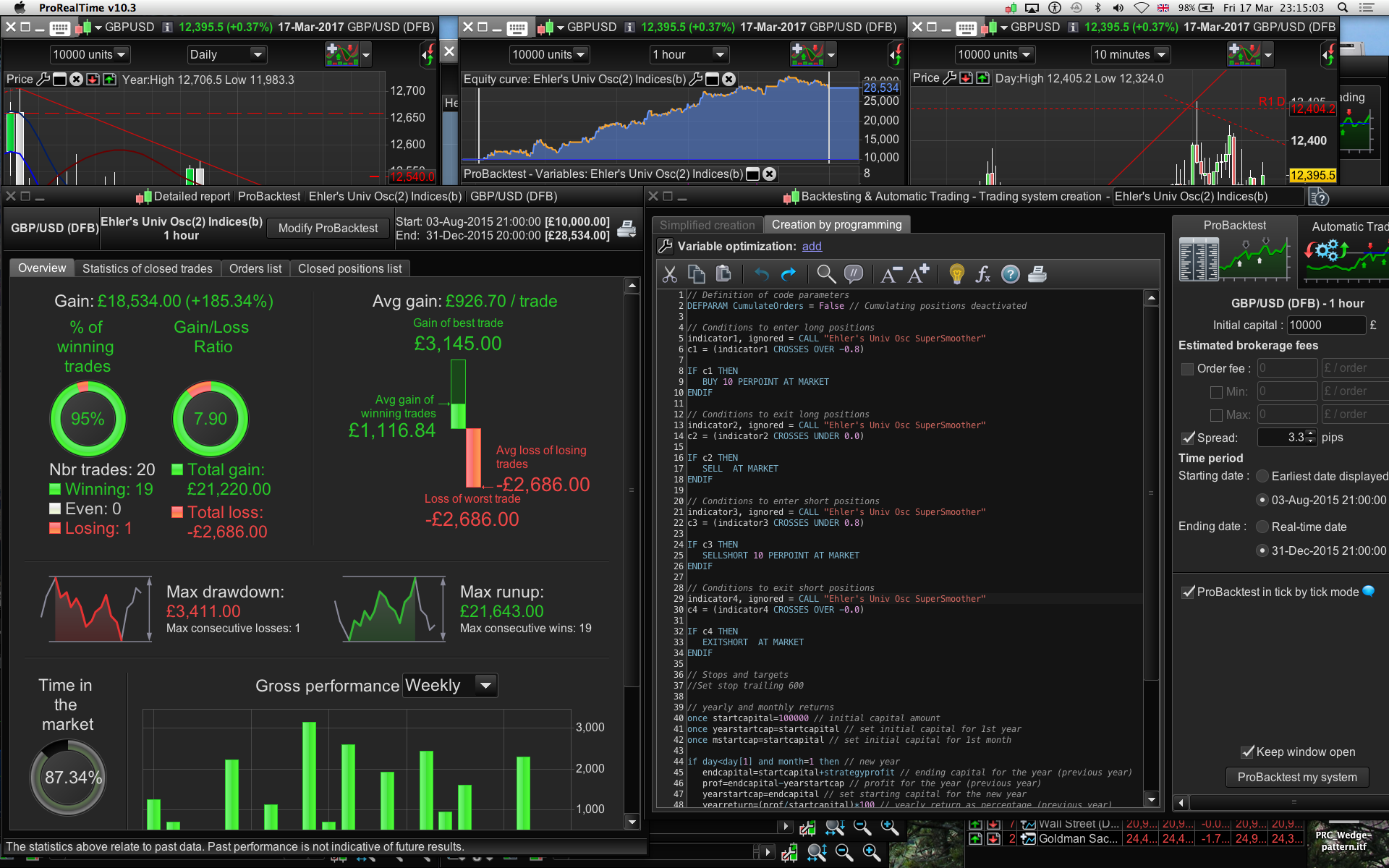
Without optimisation and the right market regime/dates you can get some good results, this has more Universal Oscillator exits to — pls see image #2: (this test done in Mch 2017)
Ehler’s Univ Osc £/$ | 1 Hr | £18.5k | 185% | win95% | gain/loss7.9 | DDown22.5% | 03/08/2015–31/12/2015
Settings”
Spread 3.3
Bandedge =25
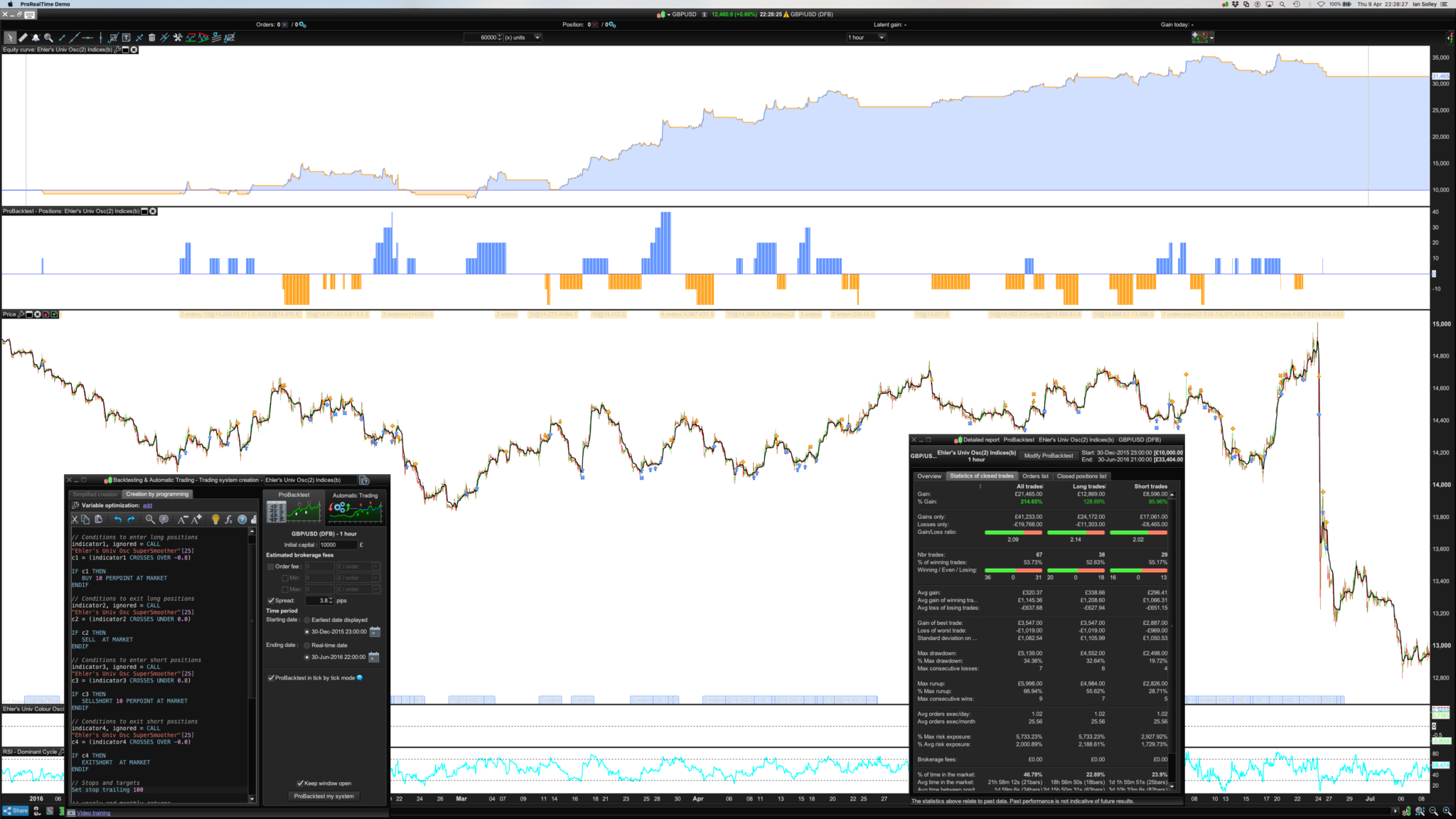
But it only works going forward for the next 6 months in time if the bandedge is upped to 100 and it also runs with a 100 tick trailing stop (pls see 3rd image which I just ran a test to produce). I’m hoping ML will mitigate the need for a stop too, although DDown is 51%.
I’d be happy to publish back test results between the generic RSI and the Universal Oscillator on a range of assets if you can perhaps code it or help me code it? It looks like Juanj’s code can be applied in the top part of the code but I’d need help getting the condbuy / condsell set up right. (I also noticed the RSI system was going long if the Close was < 70 when it would probably be better to have it crossing over say, 20%). The Ehler’s indicators like his Stochastic Oscillator with the roofing filter, are predictive not reactionary.
// Definition of code parameters
DEFPARAM CumulateOrders = True // Cumulating positions deactivated
//Note: Bandedge: 50 and crosses of 0.5 and -0.5 is good on daily indices.
//Bandedge: 24 and crosses of 0.1 and -0.1 work, depending on asset class.
//Bandedge Setting:
//Univ Osc Bandedge = 25
// Conditions to enter long positions
indicator1, ignored = CALL "Ehler's Univ Osc SuperSmoother"[100]
c1 = (indicator1 CROSSES OVER -0.8)
IF c1 THEN
BUY 10 PERPOINT AT MARKET
ENDIF
// Conditions to exit long positions
indicator2, ignored = CALL "Ehler's Univ Osc SuperSmoother"[100]
c2 = (indicator2 CROSSES UNDER 0.0)
IF c2 THEN
SELL AT MARKET
ENDIF
// Conditions to enter short positions
indicator3, ignored = CALL "Ehler's Univ Osc SuperSmoother"[100]
c3 = (indicator3 CROSSES UNDER 0.8)
IF c3 THEN
SELLSHORT 10 PERPOINT AT MARKET
ENDIF
// Conditions to exit short positions
indicator4, ignored = CALL "Ehler's Univ Osc SuperSmoother"[100]
c4 = (indicator4 CROSSES OVER -0.0)
IF c4 THEN
EXITSHORT AT MARKET
ENDIF
// Stops and targets
//Set stop trailing 100
I think it’d be interesting seeing how these two deceptively simple but effective systems could work with ML, what do you think @GraHal?
Cheers!

Ps/ Universal Oscillator code bandedge is 25 not 100 as above – that’s how the results came about for the second image. It was set at 100 + a trailing stop of 200 and the spread was higher at 3.8 for the last image/test.
Please provide link to below …
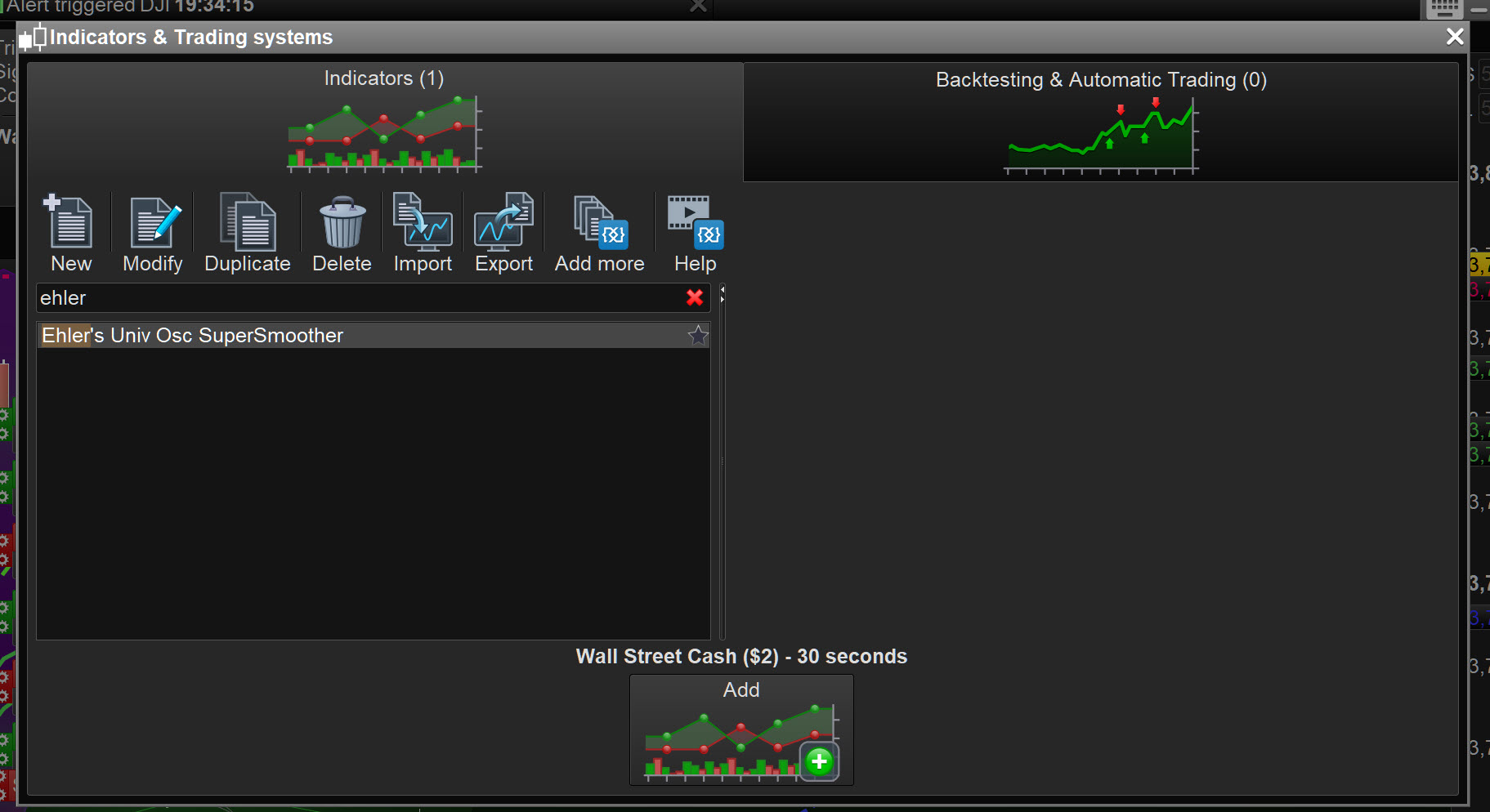
“Ehler’s Univ Osc SuperSmoother”
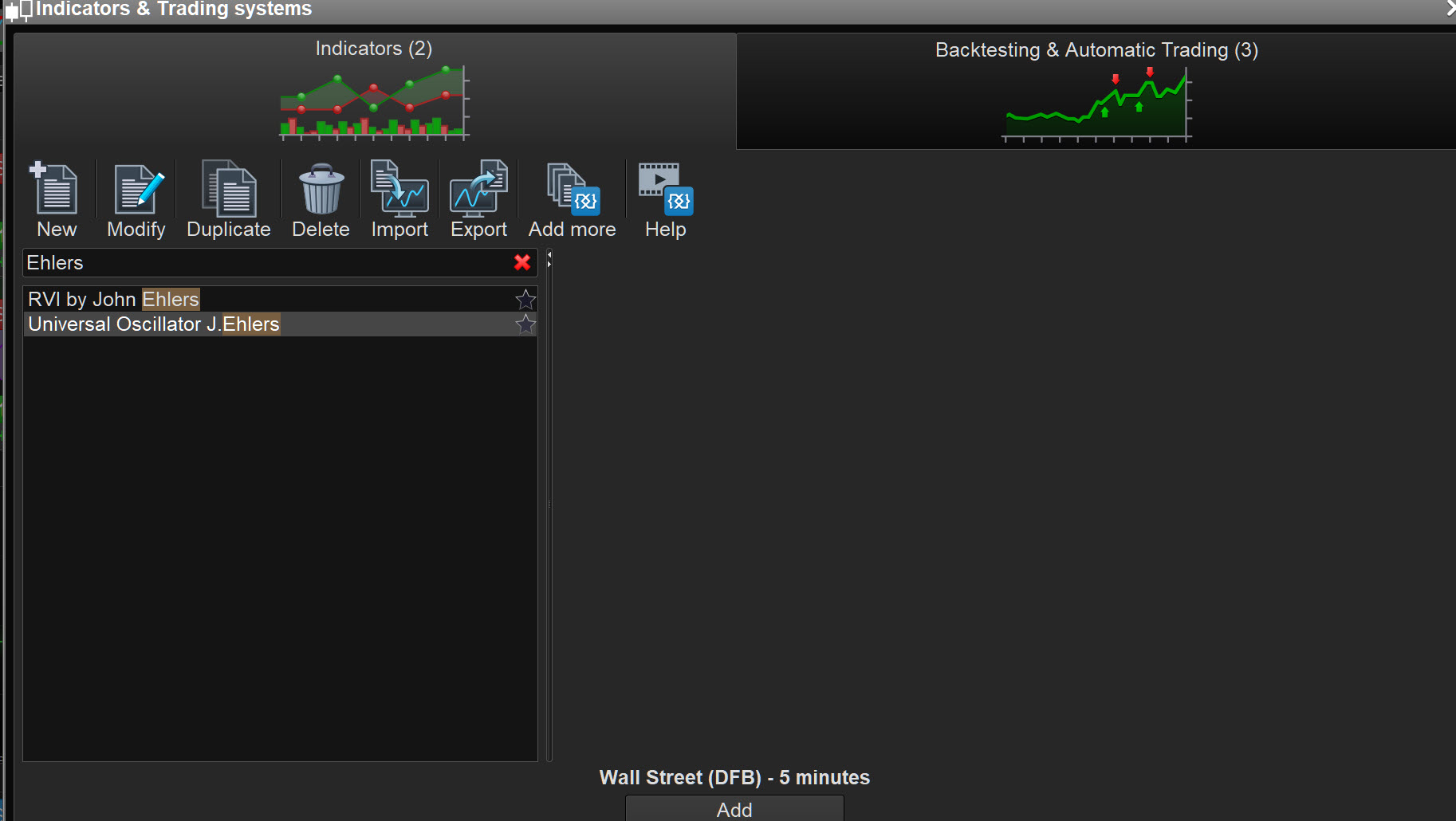
I looked in Library, but cannot find exact named above … have you changed the Indicator title?
I slightly modded the name, it can be found under the search term “Universal Oscillator” : https://www.prorealcode.com/prorealtime-indicators/universal-oscillator-john-ehlers/
It’s a supersmoother (and has a noise filter, that’s the Exp(–1.414 part).
(As an aside, the other oscillator I mentioned I want to test and compare, as it may have less lag, is the Universal Oscillator (supersmoother) with a Roofing Filter known as Ehler’s My Stochastic (it has the added roofing filter part with the Cos(.707) code) : https://www.prorealcode.com/prorealtime-indicators/my-stochastic-oscillator-john-ehlers/)
Ps/ For anyone wanting a further understanding of how these John Ehler’s oscillators detrend and cut out noise thereby making them better at predicting market turning points, I have put this very interesting article I copied, in my Dropbox: https://www.dropbox.com/sh/epubyuln0os824g/AADJGuZwtpqlj1uqtqyIV05ca
You don’t need an account, just hit the “x” in the top right “sign up/in box” to access the document.
I slightly modded the name,
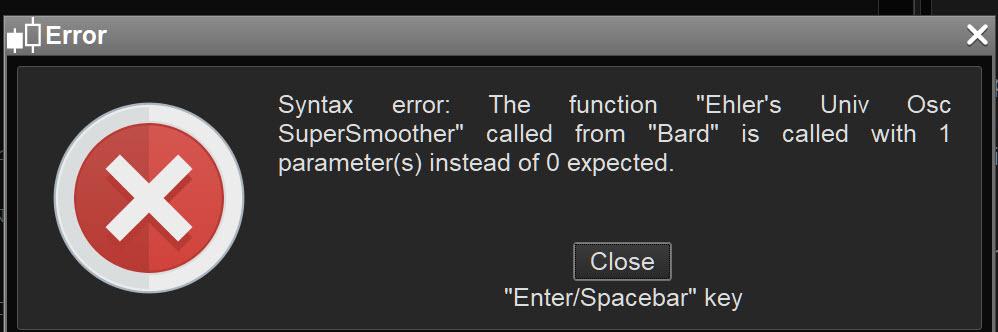
I imported the Indicator and changed the name to what you show in your System code but now I am getting the message attached … did you change the Indicator code also?
Best you post the .itf with the Indicator already in the System code? I’m busy on self-build tasks, but I will dive into this every now and again as a break! 🙂
Ah got it going now … I rem’d out the [100] at the end of lines that call the Indicator … what are the [100] for if it doesnt run with them but it runs without them??
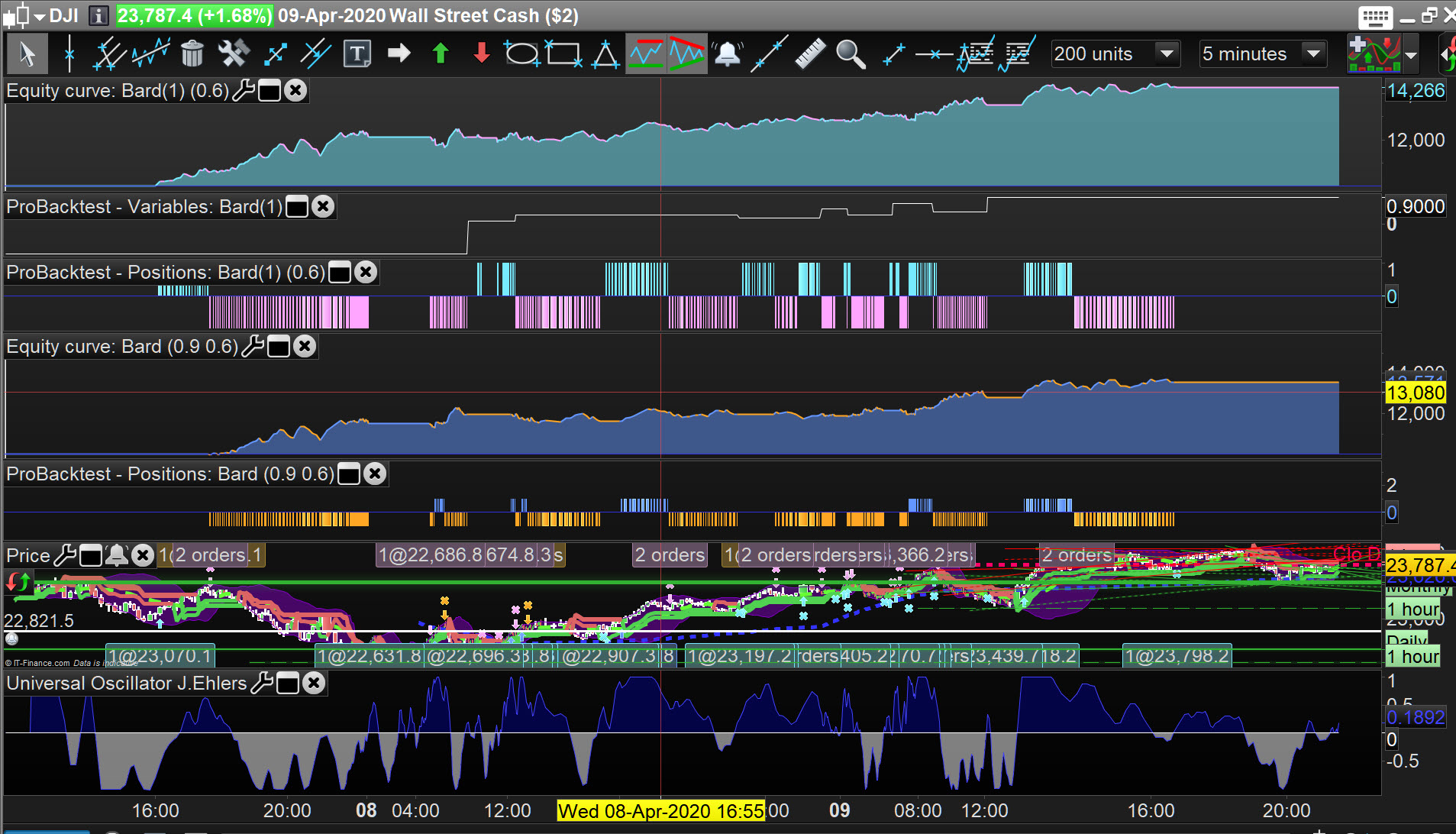
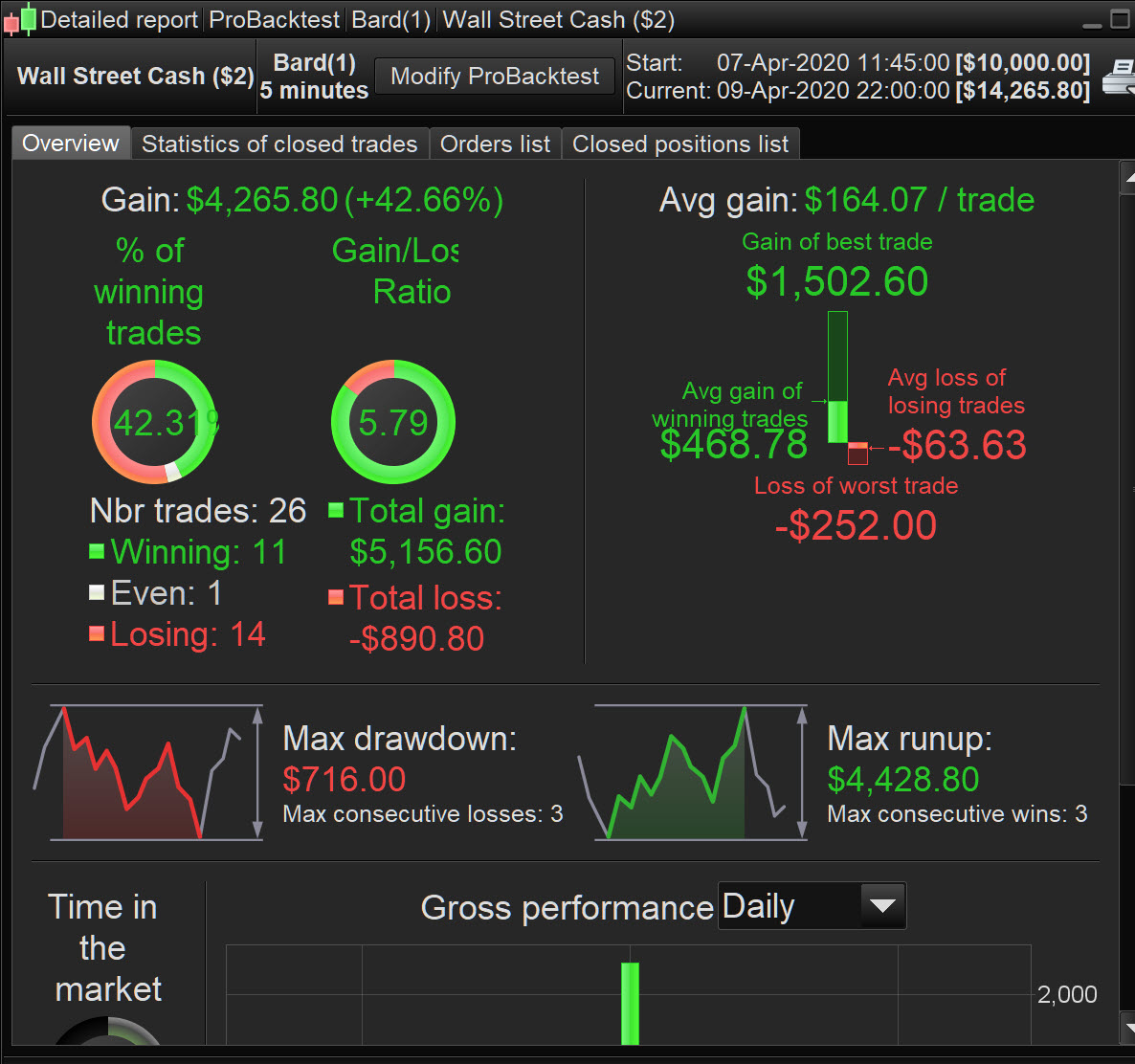
Right here you go … the top curve ( Bard(1) ) is with the HAlgo working (compared to the lower curve with No Halgo).
You can see ValueX working from the GRAPH function.
Makes £700 difference (4261 vs 3571) over 200 bars at M5 TF.
Excellent job, thanks very much for taking a look at this @GraHal,
Glad you got the [100] bandedge sensitivity setting worked out, (I’d added it as variable for easier alteration and for optimisation).
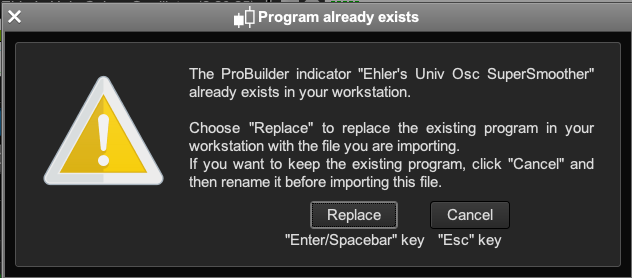
Only problem is I can’t see your system yet because when I go to Auto Systems (as opposed to Indicators) and try and import your file it gives me this warning which makes no sense because (1) I’m importing a “system” not an “indicator” and (2) the file is named “bard” not “Ehler’s Univ Osc supersmoother?” (Clearly I don’t want to overwrite my existing Ehler’s Univ Osc “indicator”). Any ideas!?Glad you got the [100] bandedge sensitivity setting worked out,Not sure I did? I just Rem’d it out. 🙂 It would be best to rename the Indicator version you want to retain as xxxxold and then let the .itf I posted do it’s thing? Reason I say that is because I did a lot of changes after I posted Bard(1) and – having just checked – I can see that the results and settings are not the same.
But the Bandedge is part of the Univ Osc – it’s like what a “Period” is to a Moving Average. I can see that the ML was applied to the 0.6/0.7 thresholds from the image you supplied. Normally the 0.8 (or 0.9) were pretty consistent in backtesting many different instruments over many different time periods but the Bandedge would always need to be changed from one market regime to another market regime.
It would be best to rename the Indicator version
I still don’t understand why we’re talking about an “indicator!?” Didn’t you create Bard.itf as a system with new ML code in it?
Cheers,
How do we get v11? I log into IG and launch PRT 10.3 from there.
“simply rename the new indicator ”
Thanks for the file/name change tip. What’s confused me is that I posted a system — “Ehler’s Univ Osc” — above and was expecting the Bard.itf to be a system not an indicator.
If you are on v10.3 then simply rename the new indicator and change any CALL instructions to the new name or temporarily delete and re-import later your original version.because I followed GraHal’s instruction and renamed my existing indicator with “XXX” (or old as he advised) I now have a problem with all my old backtest and live demo systems? I still don’t get why there is a “GraHal version of my Ehler’s Univ Osc Supersmoother,” it’s not in the ML Bard code? Nor do I get why, having just deleted “his” Ehler’s Univ Osc Supersmoother just now, why his non variable version wold even appear in my Indicator list before I deleted it, how did it get in there? Ps/ The confusion as to the nature of the Bard.itf file, (indicator v’s system) only came about because of the ambiguous warning terminology. That’s why I tried renaming Bard.itf first. The warning refers to Ehler’s Univ Osc Supersmoother as an “indicator,” but then it goes on to refer to it as a “program” in the next paragraph. If it has simply said “replace the existing indicator” I wouldn’t have been writing the comments above. Any advice on how to not have to go into tons of systems and change the CALL for my Ehler’s Univ Osc Supersmoother to Ehler’s Univ Osc Supersmoother 2, would be appreciated, Cheers again,
Machine Learning in ProOrder ProRealTime
This topic contains 454 replies,
has 32 voices, and was last updated by Khaled
4 years, 7 months ago.
| Forum: | ProOrder: Automated Strategies & Backtesting |
| Language: | English |
| Started: | 08/06/2017 |
| Status: | Active |
| Attachments: | 207 files |
The information collected on this form is stored in a computer file by ProRealCode to create and access your ProRealCode profile. This data is kept in a secure database for the duration of the member's membership. They will be kept as long as you use our services and will be automatically deleted after 3 years of inactivity. Your personal data is used to create your private profile on ProRealCode. This data is maintained by SAS ProRealCode, 407 rue Freycinet, 59151 Arleux, France. If you subscribe to our newsletters, your email address is provided to our service provider "MailChimp" located in the United States, with whom we have signed a confidentiality agreement. This company is also compliant with the EU/Swiss Privacy Shield, and the GDPR. For any request for correction or deletion concerning your data, you can directly contact the ProRealCode team by email at privacy@prorealcode.com If you would like to lodge a complaint regarding the use of your personal data, you can contact your data protection supervisory authority.