How do you program a shift to the left

Viewing 6 posts - 1 through 6 (of 6 total)

  • Author
    Posts
  • #7391 quote
    prs010prs010
    Participant
    New

    Hi,

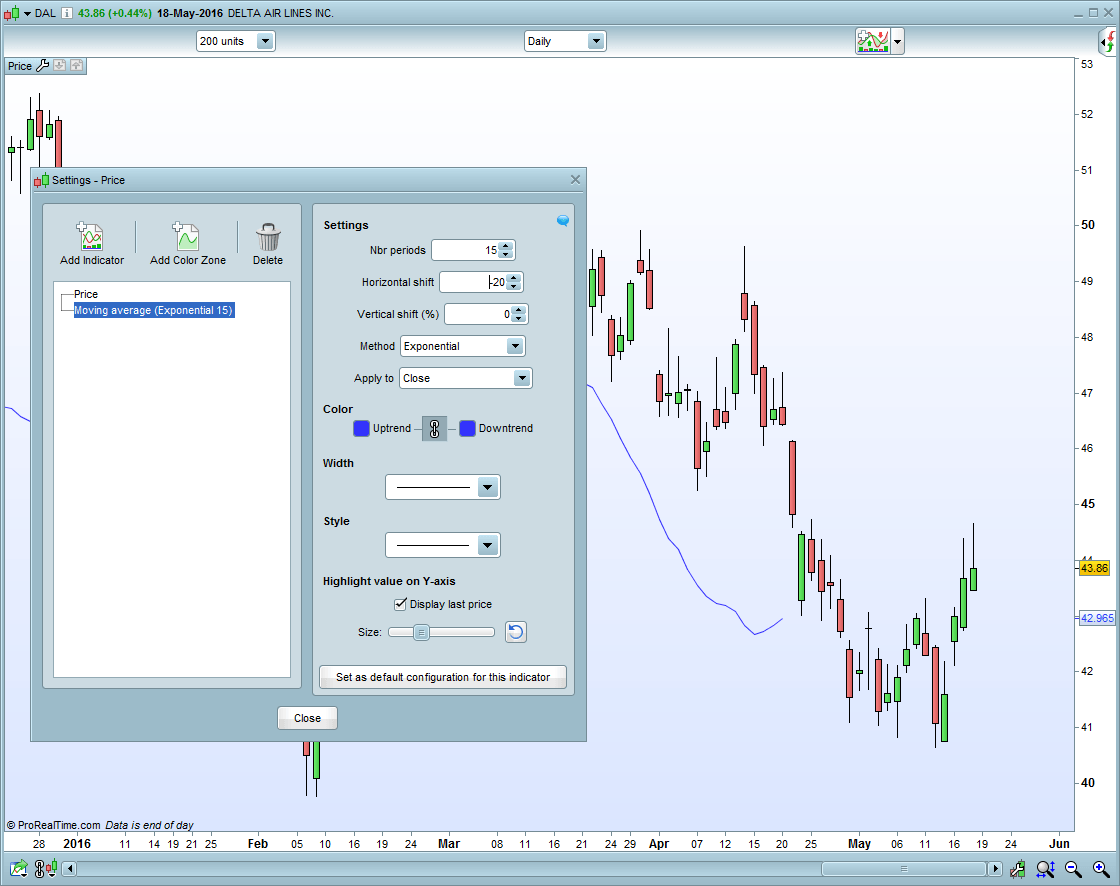
    I’d like to shift my plot to the left like you can do with the built in moving averages by using a negative “Horizontal shift” value when you add the moving average.

    I can’t figure out how to do this in programming.

    Any ideas?

    Scrn-100-2016-05-19.png Scrn-100-2016-05-19.png
    #7402 quote
    AdolfoAdolfo
    Participant
    Senior

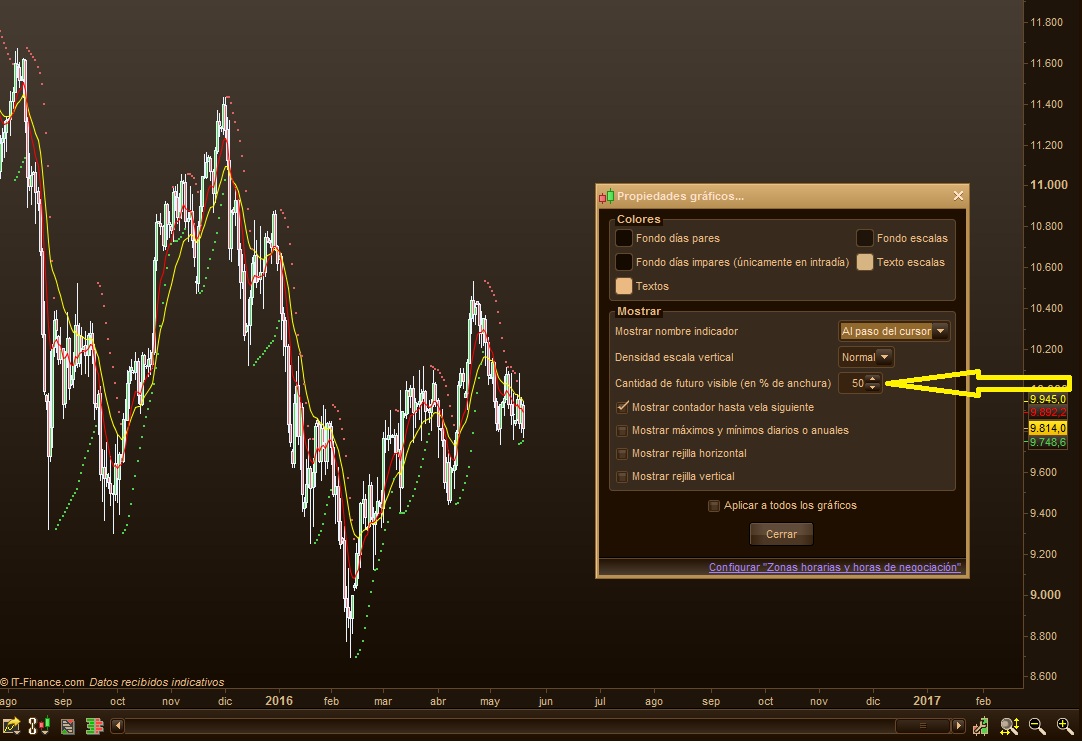
    Hi, if you mean future price, right click on main chart, choose “chart properties” and change default value of 3% to your desired (See image below)

    cantidad-de-futuro.jpg cantidad-de-futuro.jpg
    #7408 quote
    prs010prs010
    Participant
    New

    Thats good to know but its not what I’m trying to do.  I want the indicator that I program to be shifted to the left relative to the price. If you look at my example the moving average is shifted to the left by 20 bars.

    I get an error saying I must use a positive integer if I program the indicator like this:

    x = average[1](close)[-6]

    return x


    How do they program the built in moving average to allow a negative horizontal shift?

    #7412 quote
    AdolfoAdolfo
    Participant
    Senior

    Nice question, i don’t know…but did you try this?

    x = average[1](close)
    y = x[6]
    #7416 quote
    prs010prs010
    Participant
    New

    That code has the effect of shifting my indicator to the right.  I want to go to the left

    Tradestation allows you to plot back in time by using a plot1[-6] (x)  type statement.

    Is there a similar feature in prorealcode?

    #7422 quote
    NicolasNicolas
    Keymaster
    Legend

    Sorry but it is not possible to draw things in the future on chart by code.

Viewing 6 posts - 1 through 6 (of 6 total)
  • You must be logged in to reply to this topic.

ProRealAI ProRealAI New

Stuck on this ProBuilder code?

Describe what this topic is trying to build, in plain English, and ProRealAI writes the ProRealTime™ indicator, screener or system for you.

Available in 7 languages
Try ProRealAI

How do you program a shift to the left


ProBuilder: Indicators & Custom Tools

New Reply
Author
author-avatar
prs010 @prs010 Participant
Summary

This topic contains 5 replies,
has 3 voices, and was last updated by NicolasNicolas

10 years, 4 months ago.

Topic Details
Forum: ProBuilder: Indicators & Custom Tools
Language: English
Started: 05/19/2016
Status: Active
Attachments: No files
ProRealCode ProRealCode
Loading...