Hi all
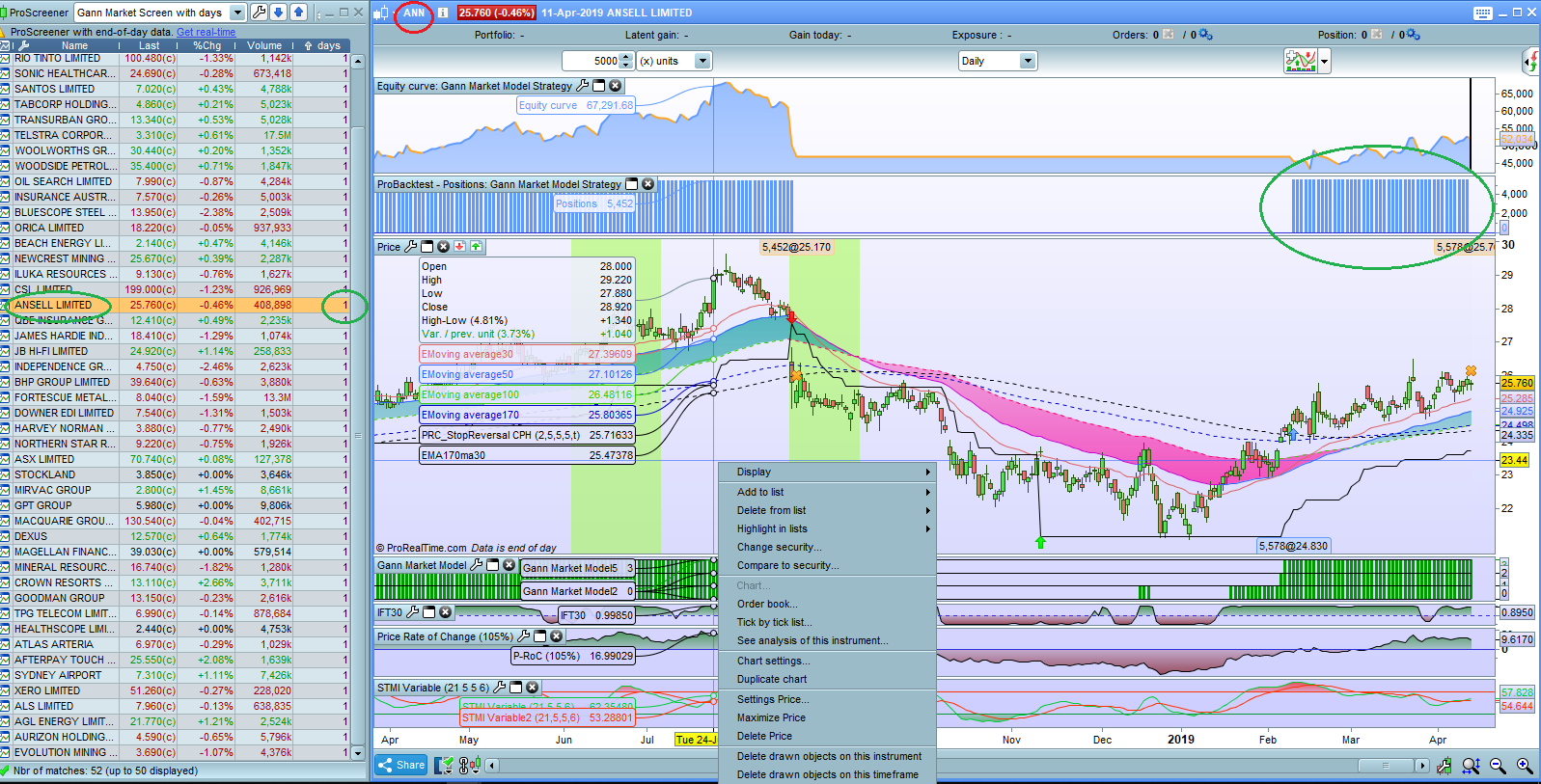
I downloaded the Gann Market Model Strategy from the library and edited out the Probacktest code so as to use it as a screener. I also added daycount code that Nicolas assisted me with a while back but can not get it to count. I only get 1(one) all the time for the daycount result. This daycount code works perfectly on other screeners that I have and the code for the “daycount” part is exactly the same.
The edited code is as follows and a screen shot of the results with a circled result clearly not matching the Strategy results. Have poured over this and do not know what is wrong. Any help greatly appreciated.
Thanks
Chris
———————————————————
//short term
a1= ExponentialAverage[50](high)[1]
b1=ExponentialAverage[50](low)[1]
if customclose > a1 then
c1 = 1
Else
IF customclose  a2 then
c2 = 1
Else
IF customclose  a3 then
c3 = 1
Else
IF customclose < b3 then
c3=-1
endif
ENDIF
if c3= -1 then
D3 = a3

ELSE
D3=b3

endif

if D1 < close then
result = 1
else
result = 0
endif

if D2 < close then
resulta = 1
else
resulta = 0
endif

if D3  2 THEN
resultL = 1
daycount = 0
endif

// exit condition
if c10 < 3 THEN
resultL = 0
endif

//count days trade open
once daycount = 0

IF resultL = 1 and savedateDate THEN
daycount = daycount + 1
savedate = Date
ENDIF

screener[resultL] (daycount as "days")
—————————————————
You can try this version, I changed a bit the way you are finding the start of the signal “resultL”:
//short term
a1= ExponentialAverage[50](high)[1]
b1=ExponentialAverage[50](low)[1]
if customclose > a1 then
c1 = 1
Else
IF customclose < b1 then
c1=-1
endif
ENDIF
if c1= -1 then
D1 = a1

ELSE
D1=b1

endif

a2= ExponentialAverage[100](high)[1]
b2=ExponentialAverage[100](low)[1]
if customclose > a2 then
c2 = 1
Else
IF customclose < b2 then
c2=-1
endif
ENDIF
if c2= -1 then
D2 = a2

ELSE
D2=b2

endif

a3= ExponentialAverage[200](high)[1]
b3=ExponentialAverage[200](low)[1]
if customclose > a3 then
c3 = 1
Else
IF customclose < b3 then
c3=-1
endif
ENDIF
if c3= -1 then
D3 = a3

ELSE
D3=b3

endif

if D1 < close then
result = 1
else
result = 0
endif

if D2 < close then
resulta = 1
else
resulta = 0
endif

if D3 < close then
resultb = 1
else
resultb = 0
endif

c10 = result and resulta and resultb

//Screen for entry condition and start daycount

if c10 and not c10[1] THEN
resultL = 1
daycount = 0
//startbar=barindex
endif

// exit condition
if not c10 THEN
resultL = 0
endif

//count days trade open

IF resultL = 1  THEN
daycount = daycount + 1
ENDIF

screener[resultL] (daycount as "days")//(barindex-startbar as "days")
I did not compared the days count with the indicator, please do.
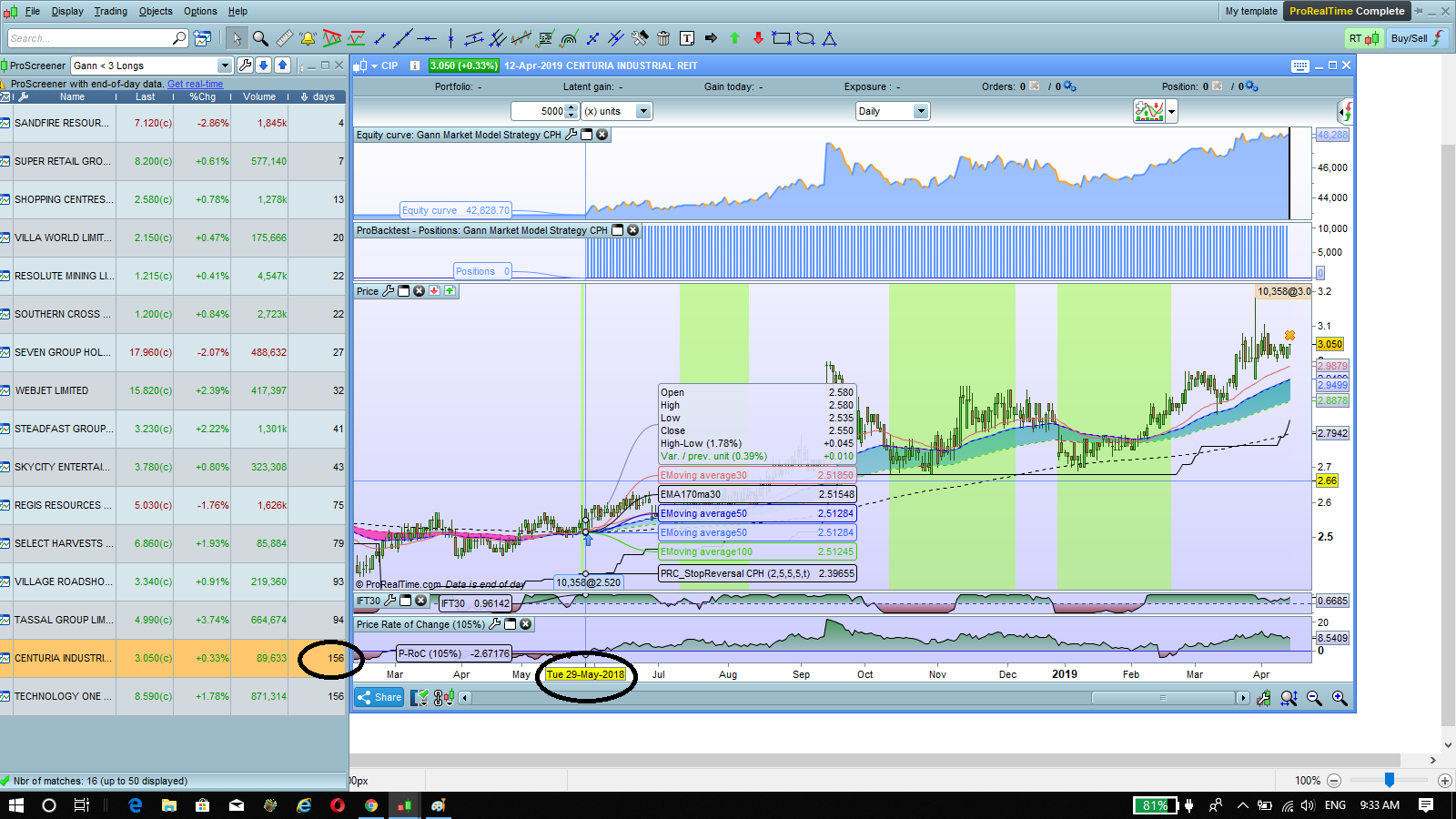
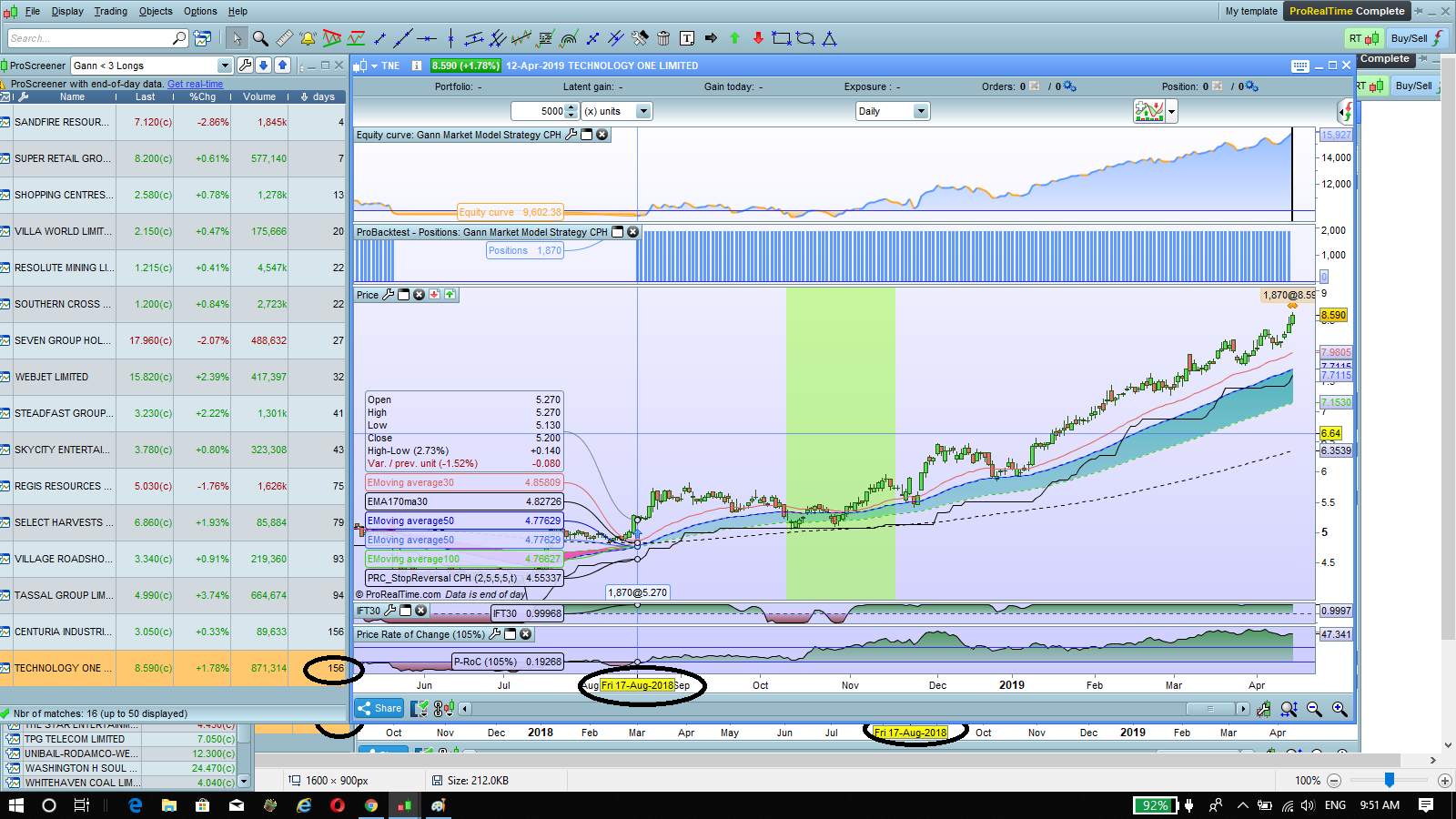
Thanks Nicolas. That has got the daycount working (sort of???) It still does not count correctly though. I have attached 2 screen shots showing 2 stocks returning the same 156 days result in the screener.
Problem is their buy dates are about 3 months apart and the strategy shows a continuous hold for these trades. Also I have removed most of the “gann code” and put a simple moving average crossover to buy and my trailing stop to exit to simplify things for this issue.
edited – Just tried changing the long entry from moving averages “greater than” to “crosses over” and got completely different results in the screener – not even the 2 stocks I have attached were in the results. But the strategy with the “crosses over” still shows the same buy dates. what the..
Both the strategy and screener code is below.
DEFPARAM CumulateOrders = False
StopL = call "PRC_StopReversal CPH"[2,5,5,5,1]
long = ExponentialAverage[50](close) > ExponentialAverage[100](close)

IF Long and not long[1] then
BUY n shares AT MARKET
ENDIF

IF (close) < stopL THEN
SELL AT MARKET
ENDIF
StopL = call "PRC_StopReversal CPH"[2,5,5,5,1]
long = ExponentialAverage[50](close) > ExponentialAverage[100](close)

IF long and not long[1] THEN
resultL = 1
daycount = 0
ENDIF

if (close) < stopL THEN
resultL = 0
endif

IF resultL = 1 THEN
daycount = daycount + 1
ENDIF

screener[resultL] (daycount as "days")
Thanks
stuffa – please use the ‘Insert PRT Code’ button when posting code in your replies as it makes it far easier for others to read. I have tidied up your last post for you. 🙂
ProScreener has a limitation of 254 bars of history. That could be a reason of not finding the same results between the indicator, the strategy and the screener.