VWAP Aspect Slope Indicator request

Viewing 7 posts - 16 through 22 (of 22 total)
  • Author
    Posts
  • #54418 quote
    Nicolas
    Keymaster
    Master

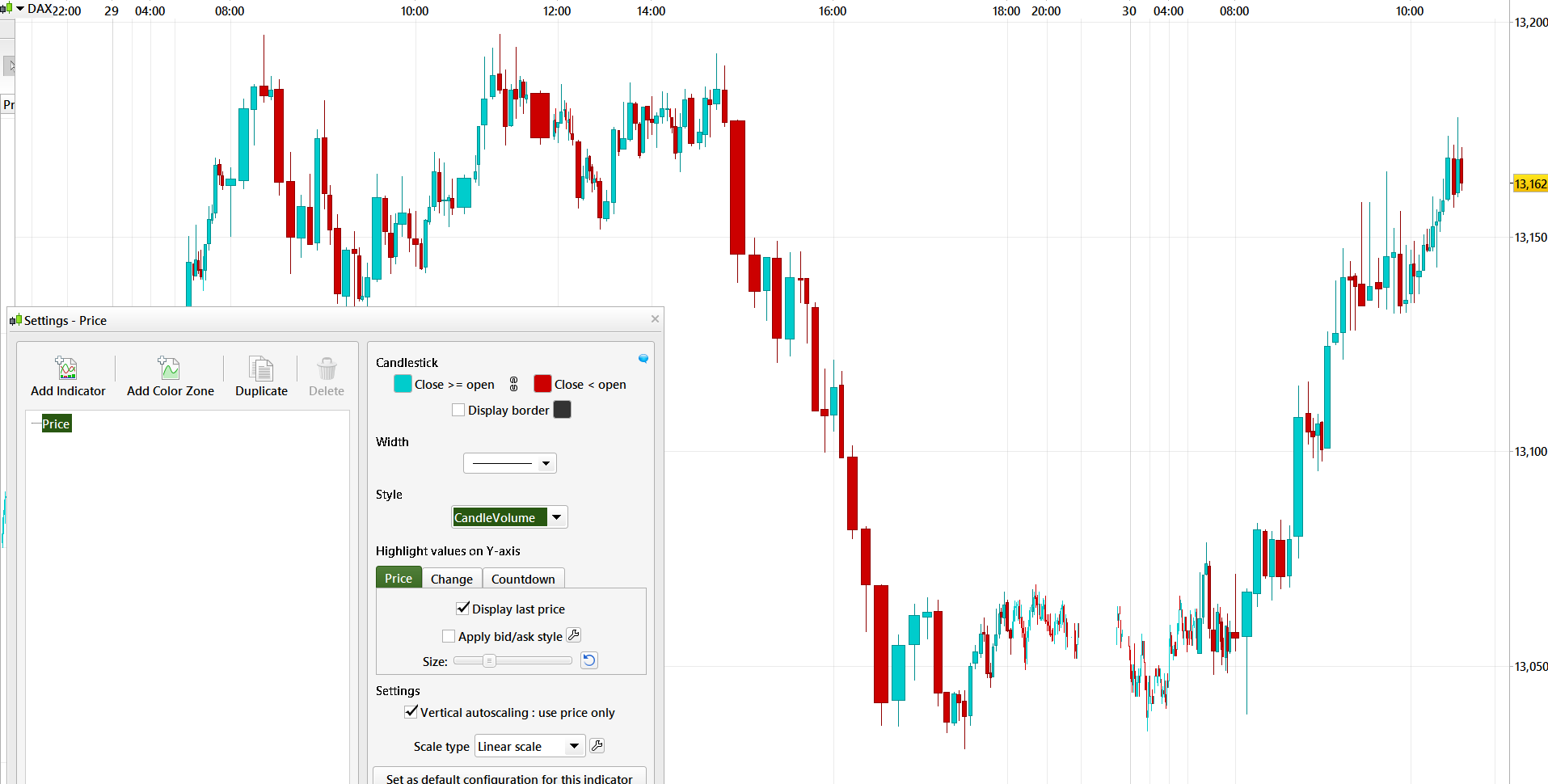
    CandleVolume is already available directly in the platform as a customized price style in the platform. 

    #237424 quote
    Bogren
    Participant
    New
    Hi @Nicolas Was it done any indicator out of this? The aspect slope looks still looks really intresting!
    I have the indicator as a Tradestation and TOS import file if this could help. But not the clean code. /
    #237432 quote
    Nicolas
    Keymaster
    Master
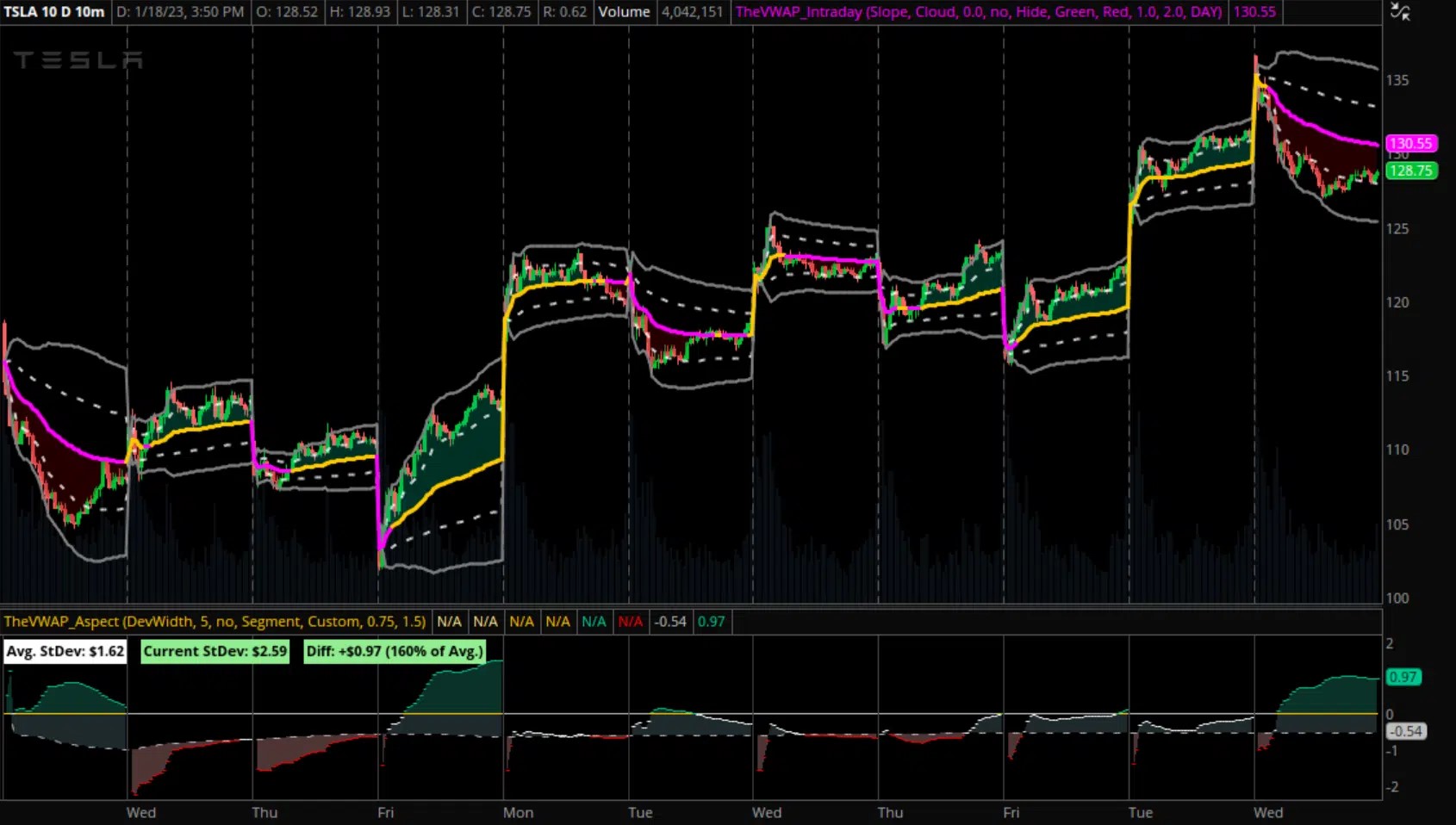
    As per the description of the shared code: “distance relative to VWAP, expressed in standard deviations”, so it is the Z-score of VWAP, other indicator made upon this: Z-Score Distance From VWAP
    #237445 quote
    Bogren
    Participant
    New
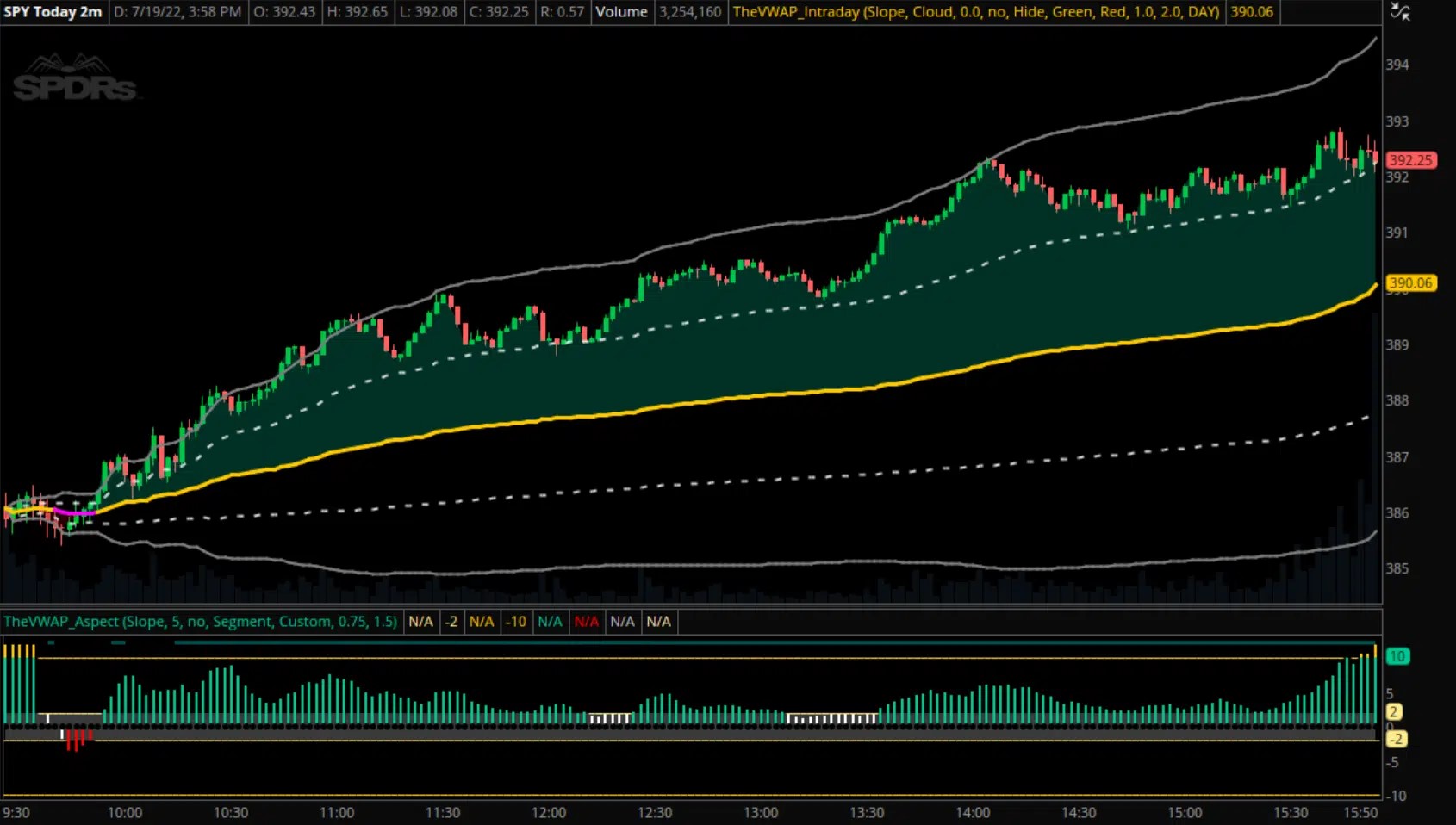
    Okey, The original aspect slope have even a slope measure buildt in this description at there homepage. “Measure and monitor the slope of intraday VWAP to gauge the intensity of price moves in either direction. Aspect is first and foremost a confirmation tool, which we’ve incorporated into our approach to help assess the quality of potential setups (and likelihood of continuation) as they develop.”
    Adjustable lookback period for slope calculation Multiple different display styles Sensitivity presets for different market types Customizable sensitivity input for full user control DevWidth and Position (Z-Score) modes on TOS and TV
    Is this something that is possible to make without the original code?
    #237464 quote
    Nicolas
    Keymaster
    Master
    This is more or less what you can do with the code shared in this post: https://www.prorealcode.com/topic/vwap-aspect-slope-indicator-request/#post-54277 change the “p” settings for “Adjustable lookback period for slope calculation” modify the “Slopelength” and “coefficient” settings (in the code) for “Customizable sensitivity input for full user control” coefficient appropriate settings: Small_Cap: coefficient = 5; ETF_or_Index: coefficient = 3; Futures: coefficient = 2;
    #237465 quote
    Nicolas
    Keymaster
    Master
    I managed to code something else, but without nice colors and levels displayed though, here it is:
    // VWAP Slope Aspect Indicator
    // Description: Measures and monitors the slope of intraday VWAP to gauge the intensity of price moves
    
    // Input parameters
    LOOKBACKPERIOD = 20 // Lookback period for slope calculation
    DISPLAYSTYLE = 1    // Display Style (1: Line, 2: Histogram, 3: Dots)
    SENSITIVITYPRESET = 2 // Sensitivity Preset (1: Low, 2: Medium, 3: High)
    CUSTOMSENSITIVITY = 10 // Custom Sensitivity (1-100)
    MODE = 1  // Mode (1: DevWidth, 2: Position/Z-Score)
    
    
    // Calculate VWAP
    d=max(1,intradaybarindex)
    vwap = SUMMATION[d](volume*typicalprice)/SUMMATION[d](volume)
    
    // Calculate slope of VWAP
    slope = LinearRegressionSlope[LOOKBACKPERIOD](vwap)
    
    // Set sensitivity based on preset or custom input
    IF SENSITIVITYPRESET = 1 THEN
    sensitivity = 5
    ELSIF SENSITIVITYPRESET = 2 THEN
    sensitivity = 10
    ELSIF SENSITIVITYPRESET = 3 THEN
    sensitivity = 20
    ELSE
    sensitivity = CUSTOMSENSITIVITY
    ENDIF
    
    // Calculate Aspect based on mode
    IF MODE = 1 THEN // DevWidth mode
    aspect = slope * sensitivity
    ELSE // Position/Z-Score mode
    aspect = (slope - AVERAGE[LOOKBACKPERIOD](slope)) / STD[LOOKBACKPERIOD](slope) * sensitivity
    ENDIF
    
    return aspect style(histogram)
    #237527 quote
    Bogren
    Participant
    New
    Thank you Mr. @Nicolas ! You and your team doing a great work. Best regards.
Viewing 7 posts - 16 through 22 (of 22 total)
  • You must be logged in to reply to this topic.

VWAP Aspect Slope Indicator request

ProBuilder support

New Reply
Author
author-avatar
scarface34 @scarface34 Participant
Summary

This topic contains 21 replies,
has 2 voices, and was last updated by Bogren

1 year, 4 months ago.

Topic Details
Forum: ProBuilder support
Language: English
Started: 03/18/2017
Status: Active
Attachments: 10 files
Logo Logo
Loading...