Wrong representation in the 5 minute chart

Viewing 11 posts - 1 through 11 (of 11 total)
  • Author
    Posts
  • #104382 quote
    RazzRazz
    Participant
    Master

    Good day

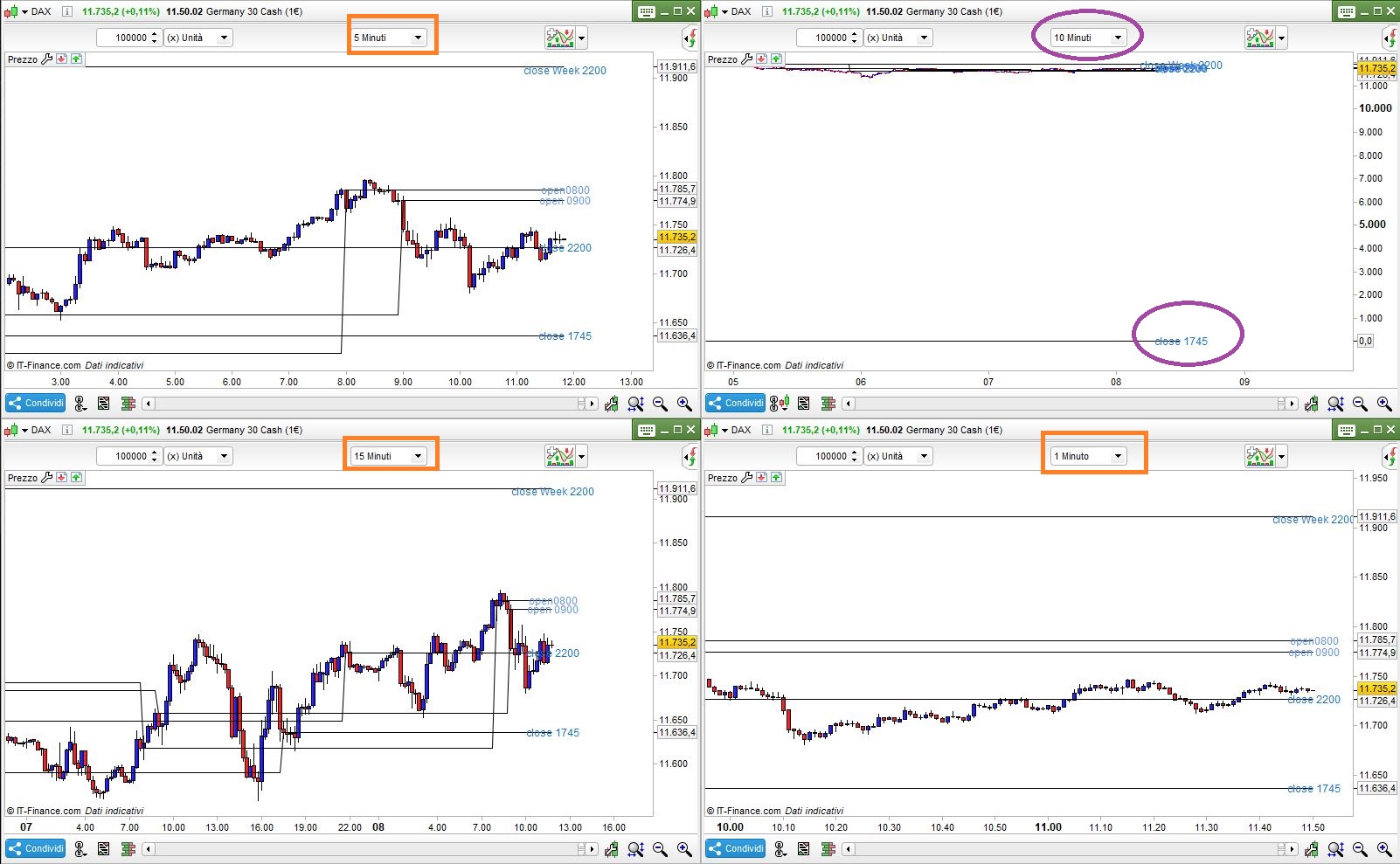
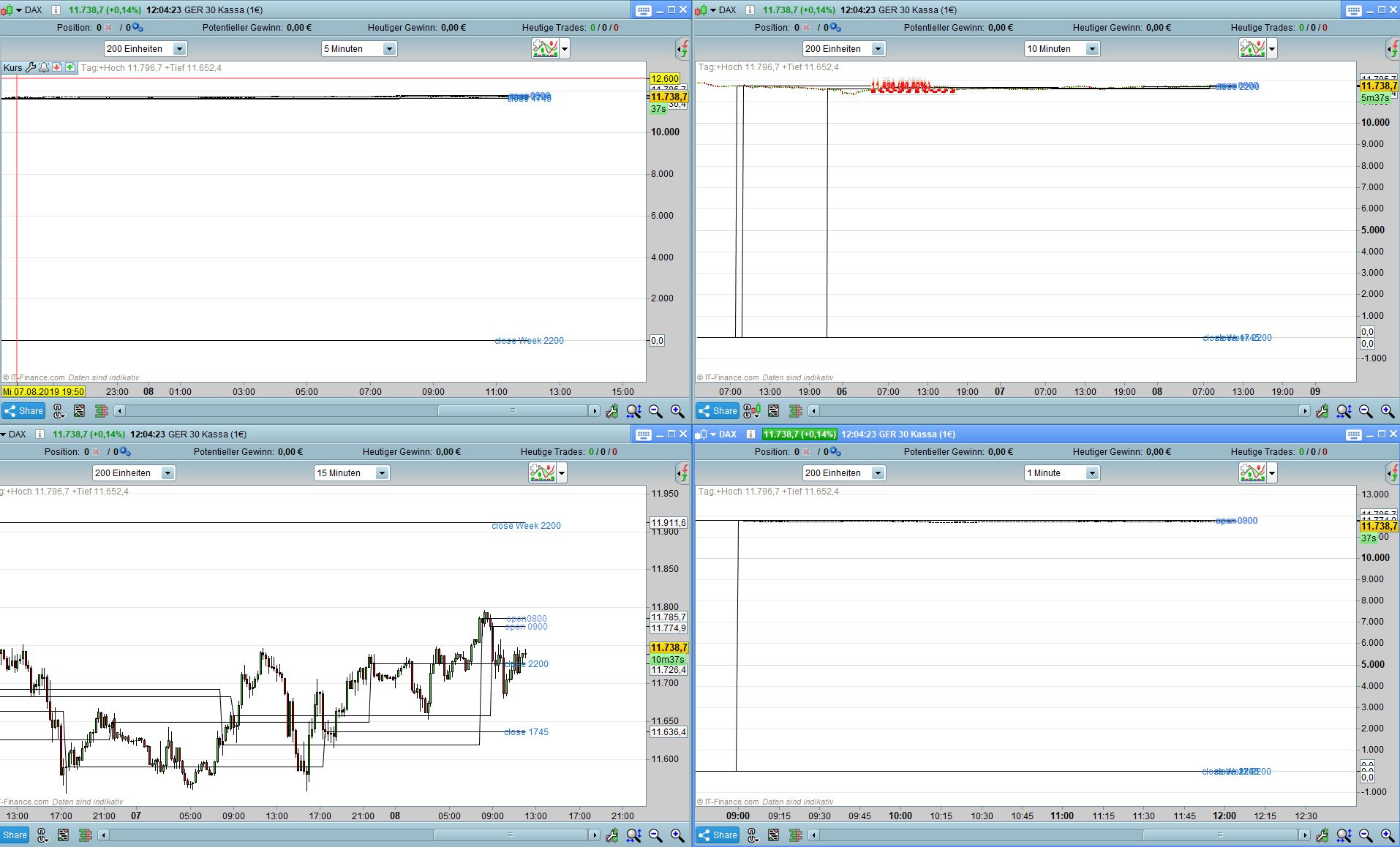
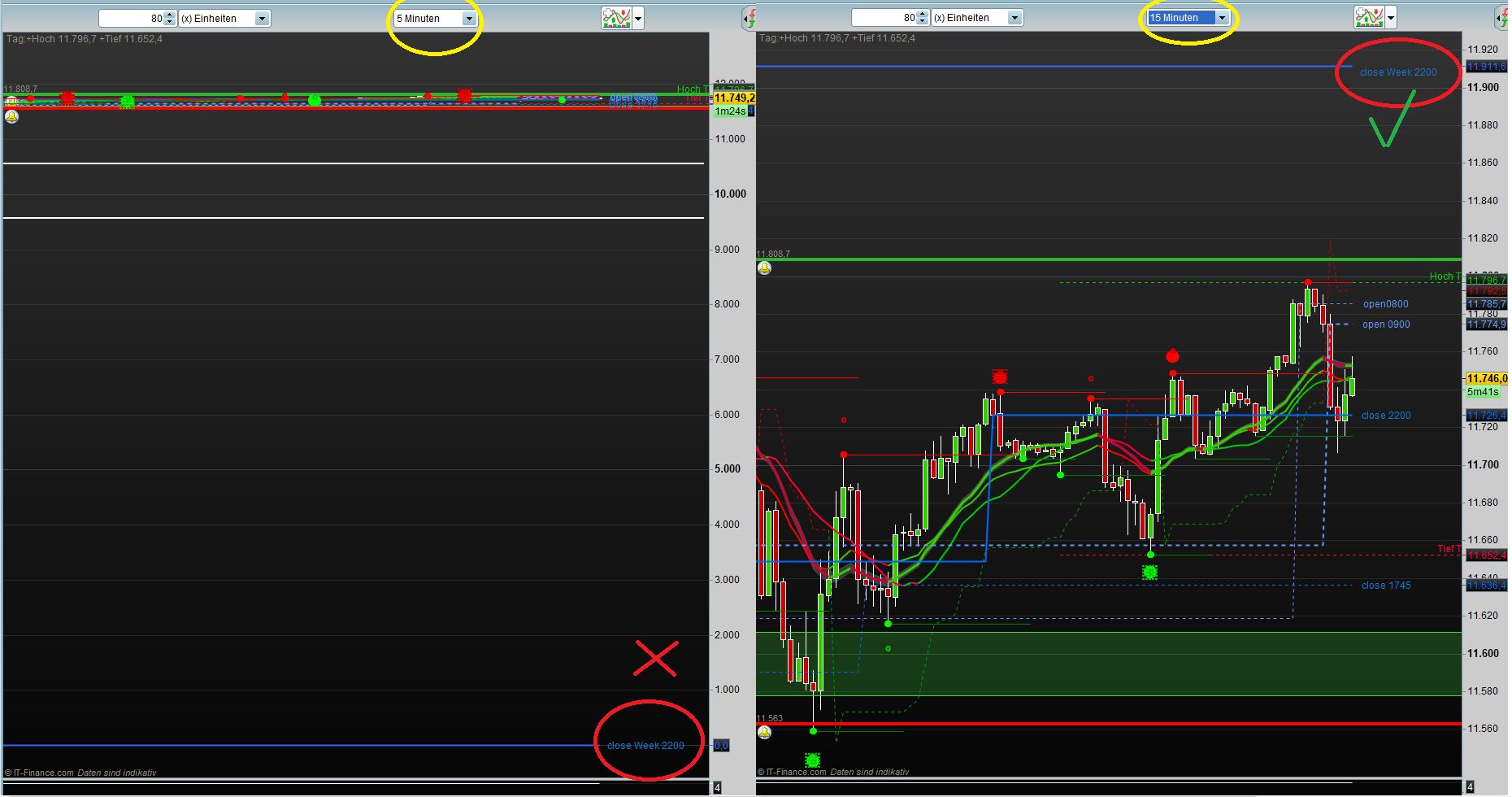
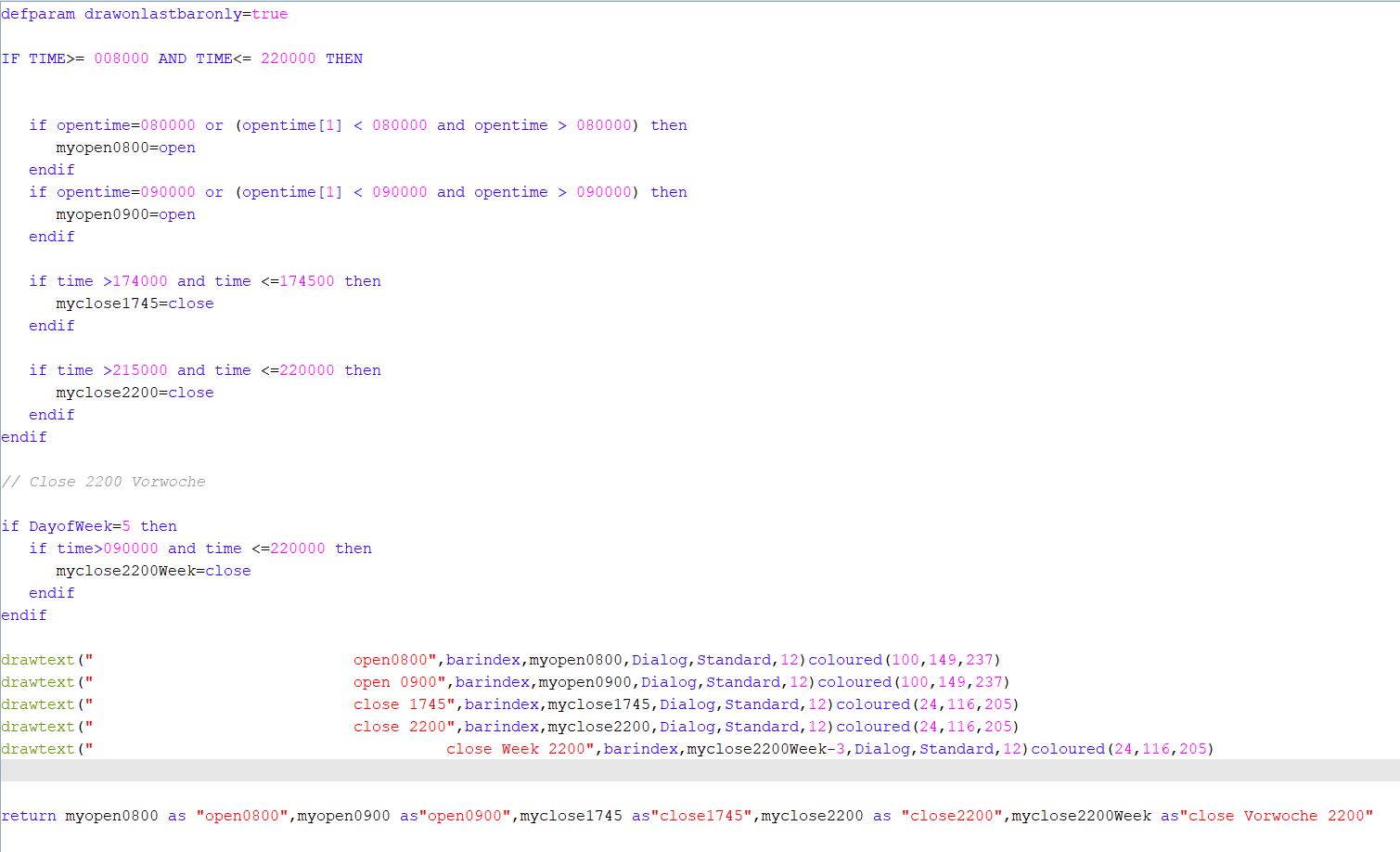
    Can someone please help me, I have created this indicator which draws various Open and Close courses in the chart. Unfortunately, it does not work today with the closing price of the previous week on 5 minutes basis at 15 minutes, everything is displayed correctly. But I need the indicator in the 5 and 10 minute chart windows.

    Many thanks in advance

    defparam drawonlastbaronly=true
    
    IF TIME>= 008000 AND TIME<= 220000 THEN
    if opentime=080000 or (opentime[1] < 080000 and opentime > 080000) then
    myopen0800=open
    endif
    
    if opentime=090000 or (opentime[1] < 090000 and opentime > 090000) then
    myopen0900=open
    endif
    
    if time >174000 and time <=174500 then
    myclose1745=close
    endif
    
    if time >215000 and time <=220000 then
    myclose2200=close
    endif
    endif
    
    // Close 2200 Vorwoche
    
    if DayofWeek=5 then
    if time>090000 and time <=220000 then
    myclose2200Week=close
    endif
    endif
    
    drawtext(” open0800″,barindex,myopen0800,Dialog,Standard,12)coloured(100,149,237)
    drawtext(” open 0900″,barindex,myopen0900,Dialog,Standard,12)coloured(100,149,237)
    drawtext(” close 1745″,barindex,myclose1745,Dialog,Standard,12)coloured(24,116,205)
    drawtext(” close 2200″,barindex,myclose2200,Dialog,Standard,12)coloured(24,116,205)
    drawtext(” close Week 2200″,barindex,myclose2200Week-3,Dialog,Standard,12)coloured(24,116,205)
    
    return myopen0800 as “open0800″,myopen0900 as”open0900″,myclose1745 as”close1745”,myclose2200 as “close2200″,myclose2200Week as”close Vorwoche 2200”
    Anzeige-Falsch.jpg Anzeige-Falsch.jpg Indikator.jpg Indikator.jpg
    #104387 quote
    robertogozzirobertogozzi
    Moderator
    Legend

    For clarity of messages on ProRealCode’s forums, please use the “insert code PRT” button to separate the text from the code part. I tidied it up for you.

    Thank you!

    #104388 quote
    RazzRazz
    Participant
    Master

    @ robertogozzi

    Sorry

    #104391 quote
    robertogozzirobertogozzi
    Moderator
    Legend

    At lines 12 and 16, only a 5-minute (or lower) TF can be used!

    #104394 quote
    RazzRazz
    Participant
    Master

    yes ok is logical, but my main problem is the presentation Close last week 22:00 see line 23 to 26. This shows at once in the 5 minute chart the value 0 in the 15 minute chart, but it is displayed correctly. Can you say something?

    #104400 quote
    robertogozzirobertogozzi
    Moderator
    Legend

    This is the code I tested, it looks good on 1-minute, 5-minute and 15-minute TF’s, while it reports 0 at 1745 on a 10-minute TF:

    defparam drawonlastbaronly=true
     
    IF TIME>= 008000 AND TIME<= 220000 THEN
    if opentime=080000 or (opentime[1] < 080000 and opentime > 080000) then
    myopen0800=open
    endif
     
    if opentime=090000 or (opentime[1] < 090000 and opentime > 090000) then
    myopen0900=open
    endif
     
    if time >174000 and time <=174500 then
    myclose1745=close
    endif
     
    if time >215000 and time <=220000 then
    myclose2200=close
    endif
    endif
     
    // Close 2200 Vorwoche
     
    if DayofWeek=5 then
    if time>090000 and time <=220000 then
    myclose2200Week=close
    endif
    endif
    
    drawtext(" open0800",barindex,myopen0800,Dialog,Standard,12)coloured(100,149,237)
    drawtext(" open 0900",barindex,myopen0900,Dialog,Standard,12)coloured(100,149,237)
    drawtext(" close 1745",barindex,myclose1745,Dialog,Standard,12)coloured(24,116,205)
    drawtext(" close 2200",barindex,myclose2200,Dialog,Standard,12)coloured(24,116,205)
    drawtext(" close Week 2200",barindex,myclose2200Week-3,Dialog,Standard,12)coloured(24,116,205)
    return myopen0800 as "open0800",myopen0900 as"open0900",myclose1745 as"close1745",myclose2200 as "close2200",myclose2200Week as"close Vorwoche 2200"
    x-6.jpg x-6.jpg
    #104402 quote
    robertogozzirobertogozzi
    Moderator
    Legend

    I think you are displaying too little units, try increasing them, a week is made of many 5-minute bars!

    #104405 quote
    RazzRazz
    Participant
    Master

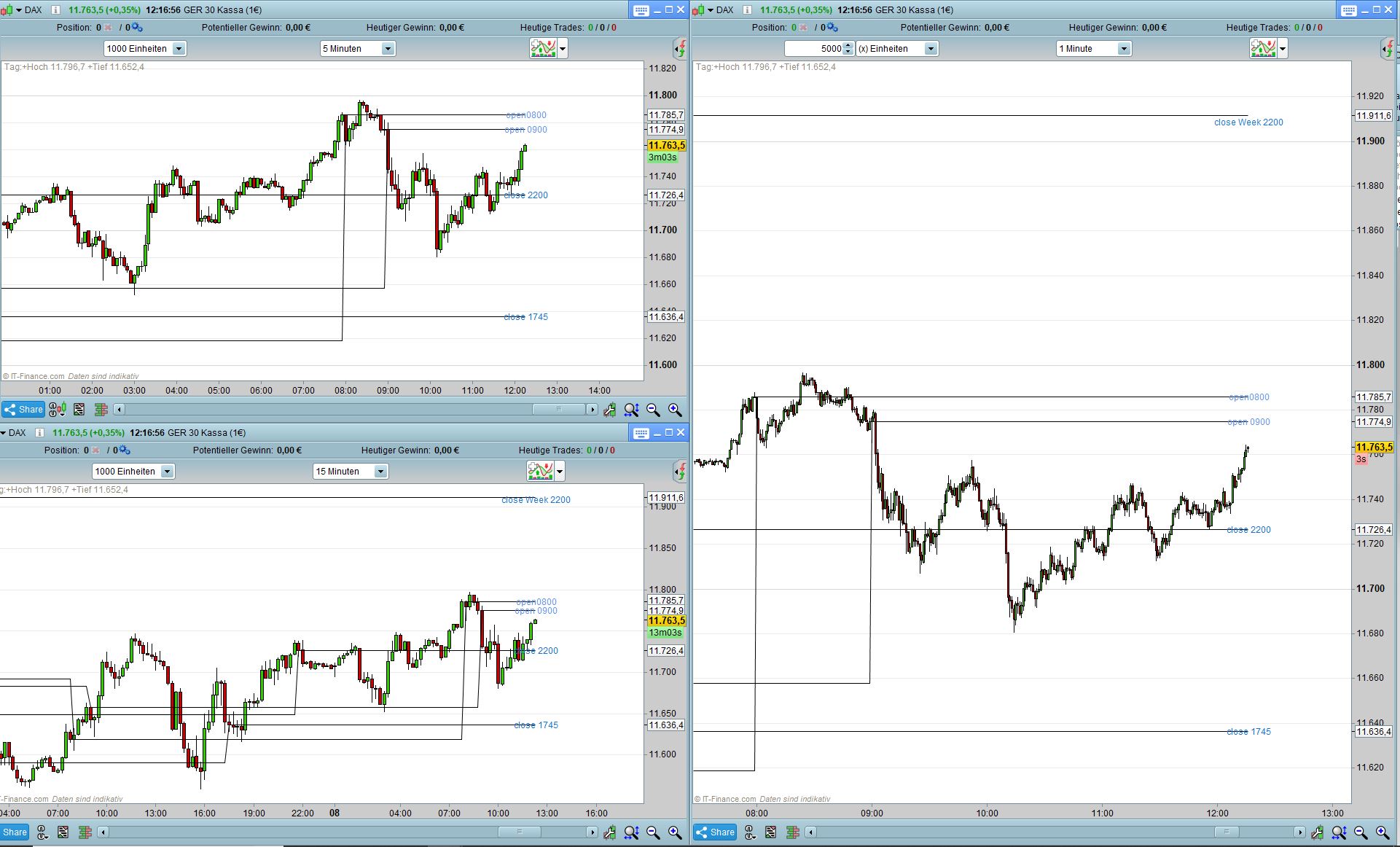
    Strange with me he only looks good on 15 minutes TF at the other, the closing price 22:00 last week is set to 0. The indicator ran with me until Tuesday on 1-5 minutes well. Have no explanation for why it is displayed correctly and not with me?

    Indikator-01.jpg Indikator-01.jpg
    #104407 quote
    RazzRazz
    Participant
    Master

    Ok Thanks now it looks better again, I can change something in the indicator so that it is displayed correctly or is it only about the increase of the display values?

    Indikator-02.jpg Indikator-02.jpg
    #104409 quote
    robertogozzirobertogozzi
    Moderator
    Legend

    It looks good, of course the offset (-3) is a greater distance on a 1 -minute chart rather than on a 15-minute chart.

    Instead of a fixed value you could use a percentage of ATR to make it variable.

    #104415 quote
    RazzRazz
    Participant
    Master

    The offset -3 was only used because Monday would otherwise be written on the previous day and last week’s close because the value is the same. Thanks for your help ! My initial problem was solved by increasing the units, now use 2500 units in the 5 minute chart and zoom into the chart with the magnifying glass function.
    Have a nice day.
    Peter

Viewing 11 posts - 1 through 11 (of 11 total)
  • You must be logged in to reply to this topic.

ProRealAI ProRealAI New

Stuck on this ProBuilder code?

Describe what this topic is trying to build, in plain English, and ProRealAI writes the ProRealTime™ indicator, screener or system for you.

Available in 7 languages
Try ProRealAI

Wrong representation in the 5 minute chart


ProBuilder: Indicators & Custom Tools

New Reply
Author
author-avatar
Razz @razz Participant
Summary

This topic contains 10 replies,
has 2 voices, and was last updated by RazzRazz

7 years, 1 month ago.

Topic Details
Forum: ProBuilder: Indicators & Custom Tools
Language: English
Started: 08/08/2019
Status: Active
Attachments: 5 files
ProRealCode ProRealCode
Loading...